Case Study

Redesigning an Annotation & QA System for Speed, Clarity, and Data Quality

Situation

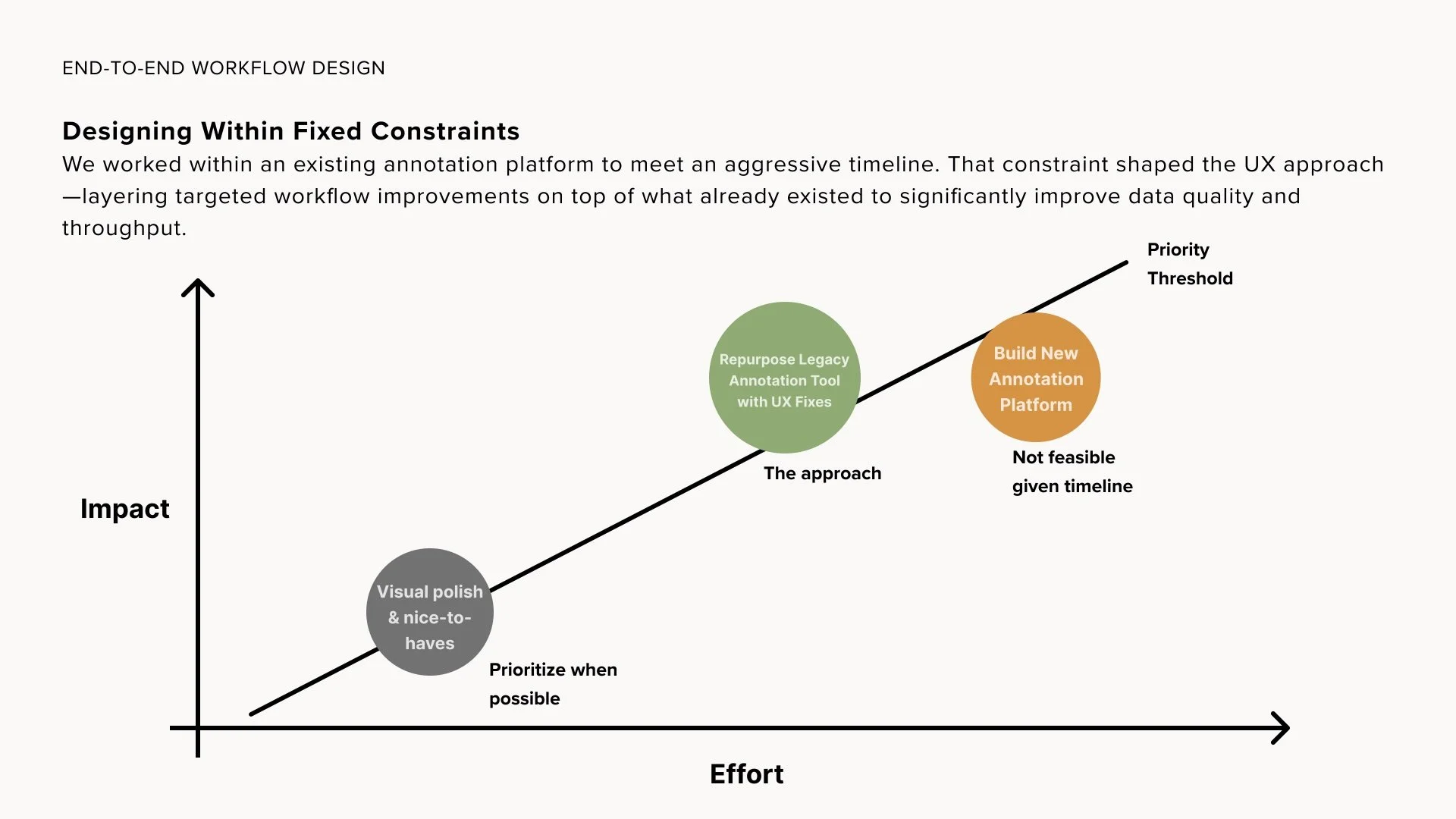
When I joined this project, the team already had an internal annotation tool, but it was difficult to use and hard to operate at scale.

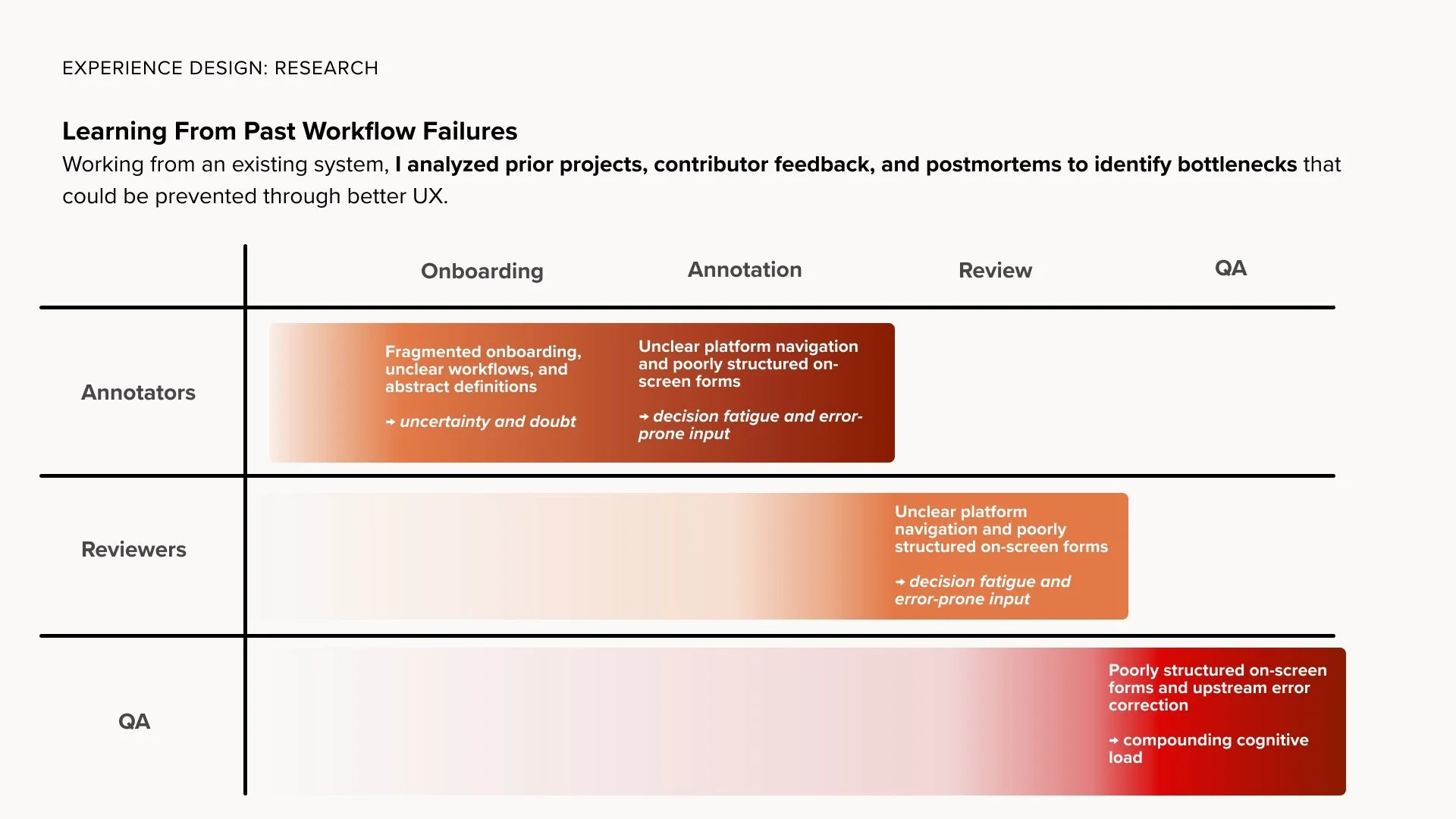
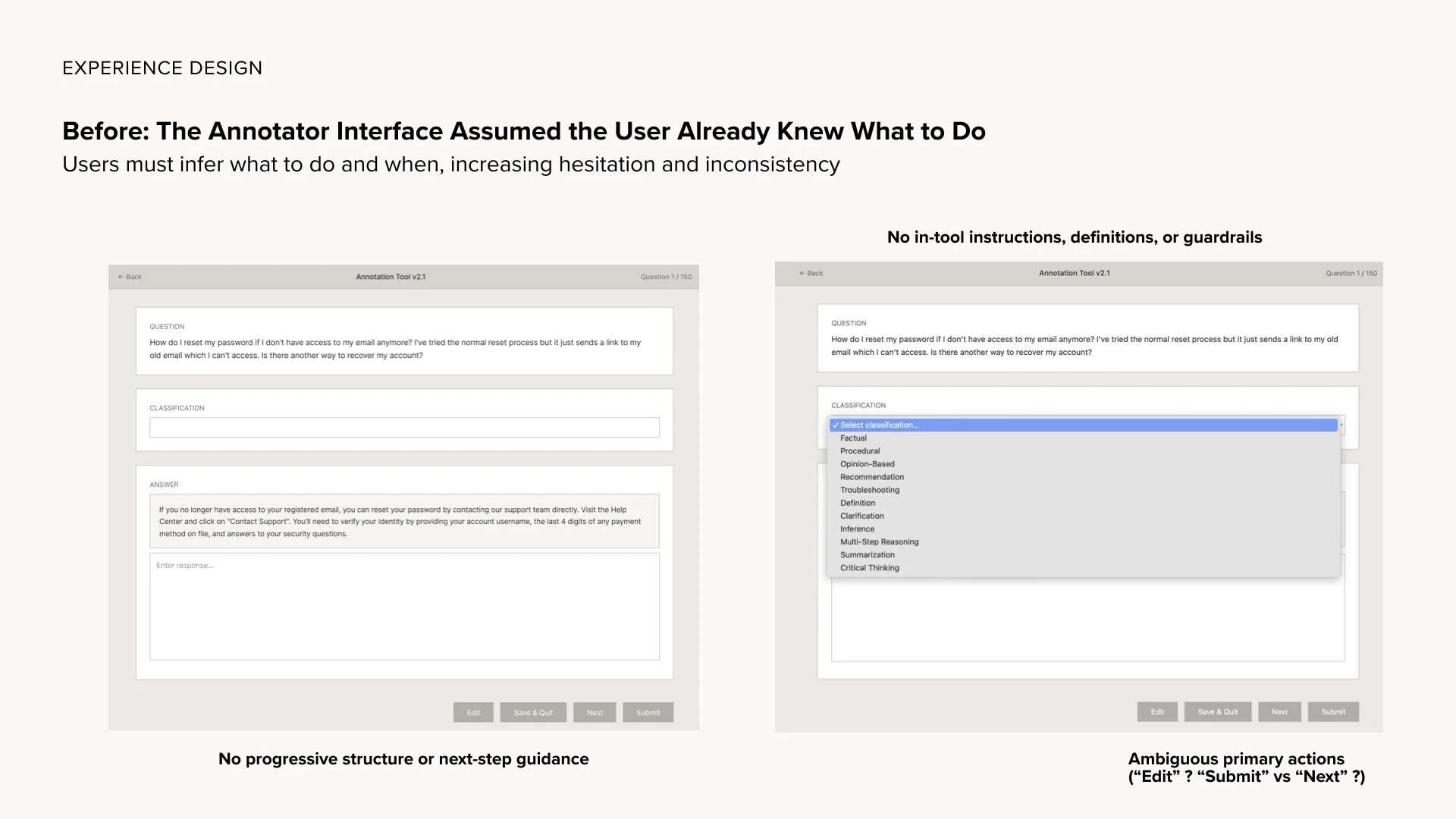
From a usability standpoint, the interface created friction:

  • navigation was unclear

  • button behavior was ambiguous

  • instructions lived outside the tool

  • definitions were scattered across documents

  • users had no way to reference guidance in-context

  • nothing supported speed for experienced annotators

From an operational standpoint, the workflow had grown unevenly over time.

Project managers dealt with:

  • version confusion

  • manual redistribution of instructions

  • annotators working from outdated guidance

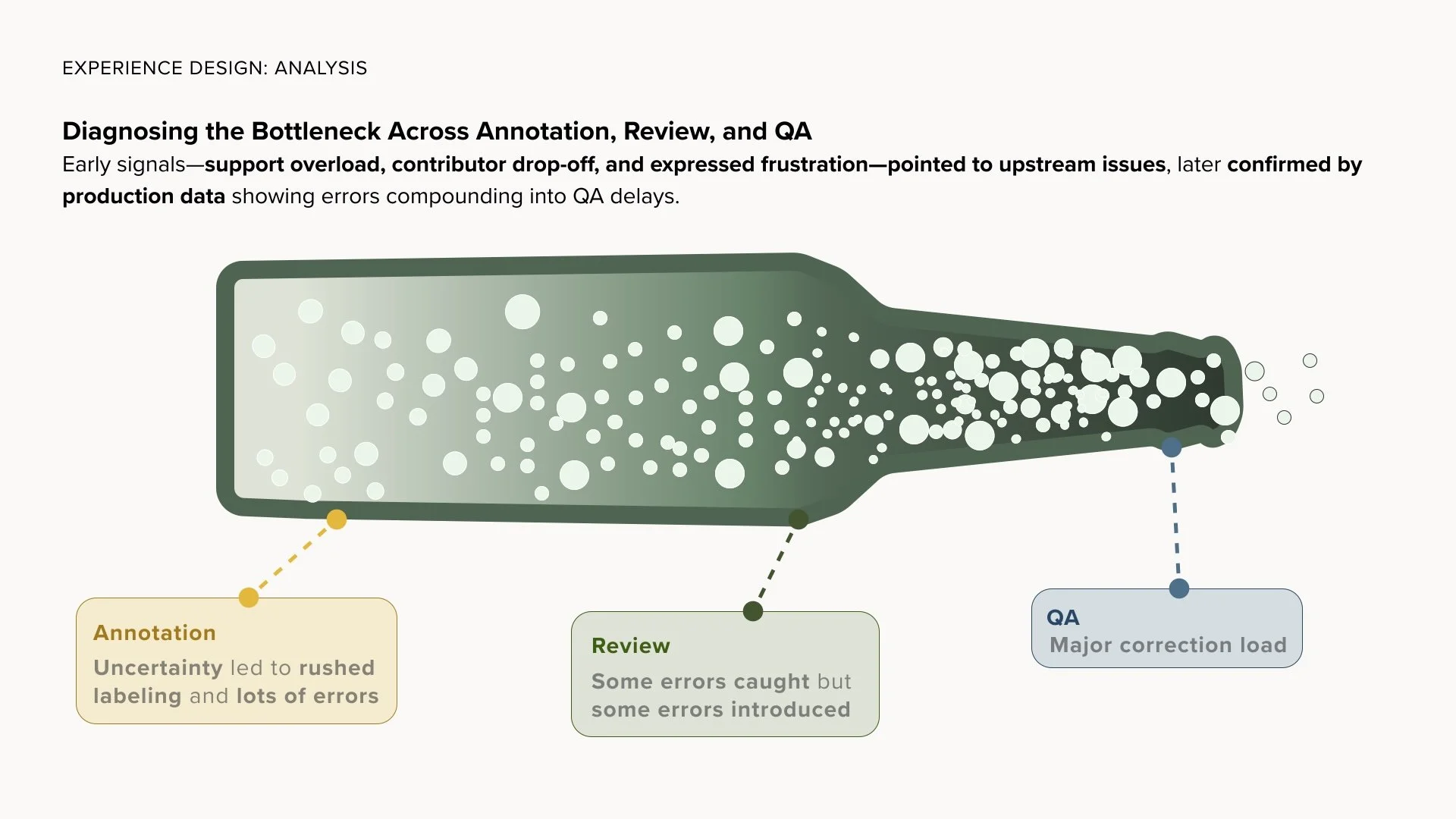
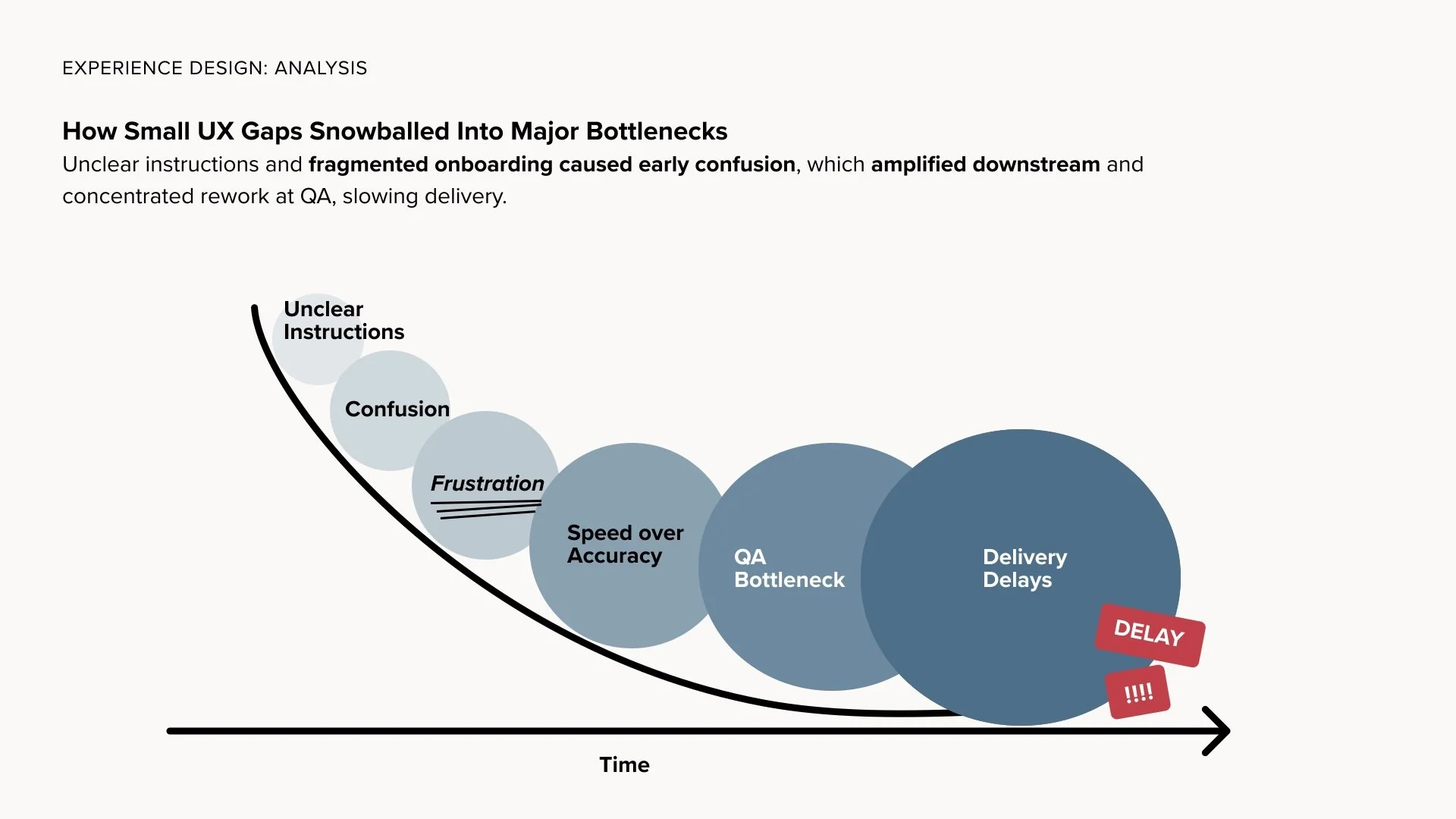
  • QA correcting misunderstandings instead of validating work

  • support requests scattered across Slack

The cost wasn’t just inefficiency — it affected morale.

Miscommunication, brittle processes, and incomplete system design made it exhausting to do good work. The mood on the team reflected the amount of friction in the tools.

The system technically functioned, but it wasn’t designed to carry the complexity of real production work.

Task

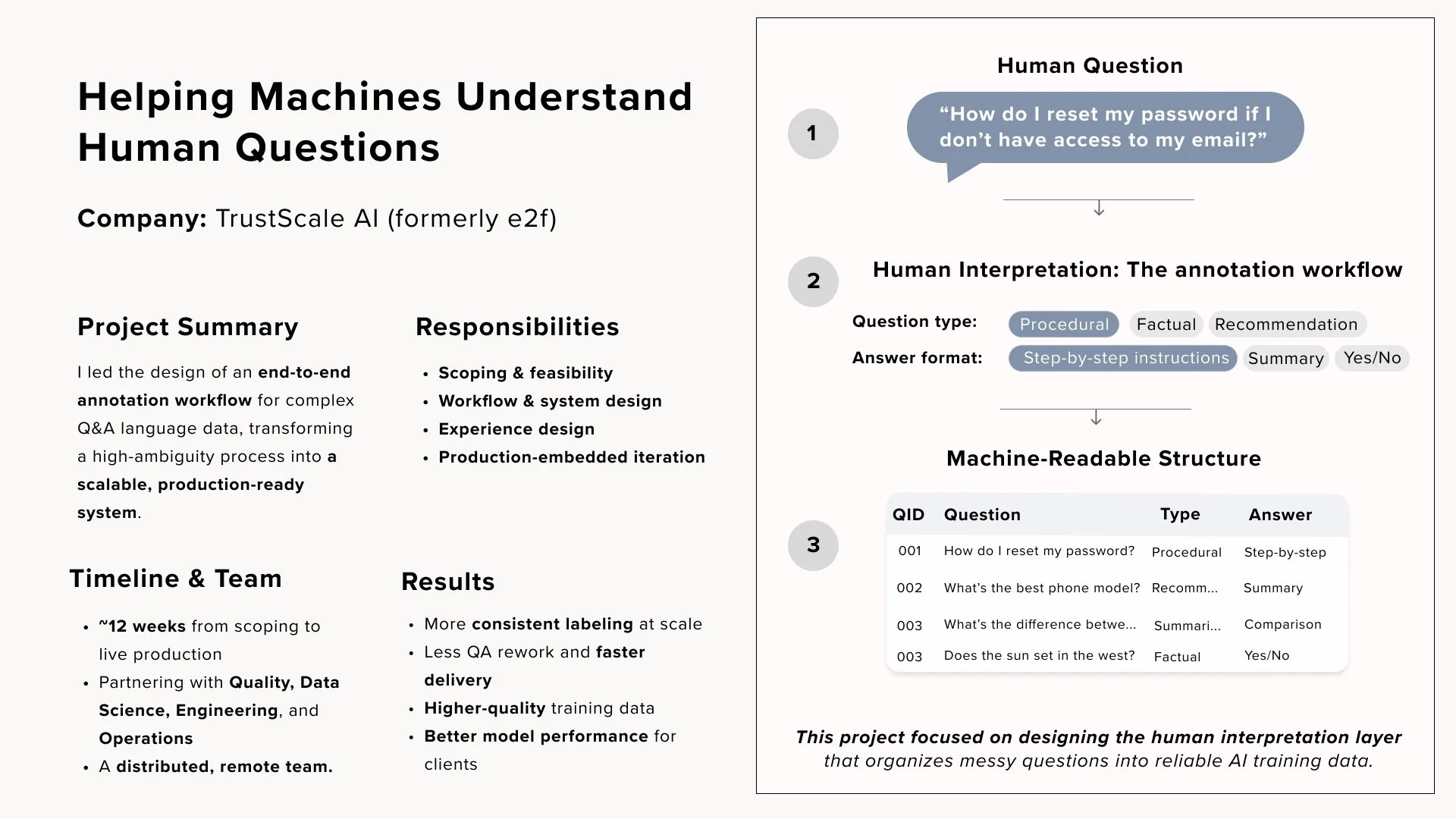
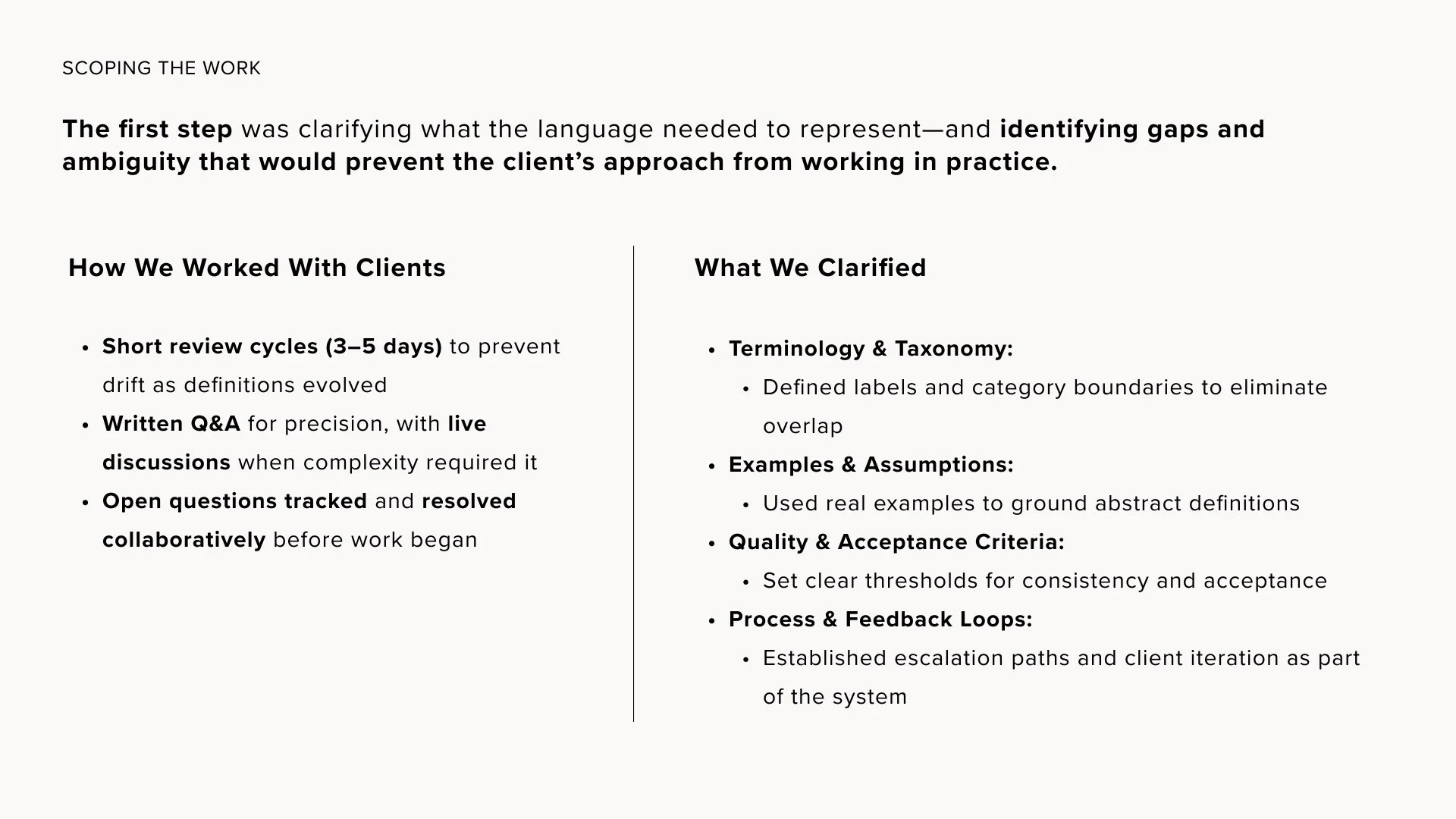
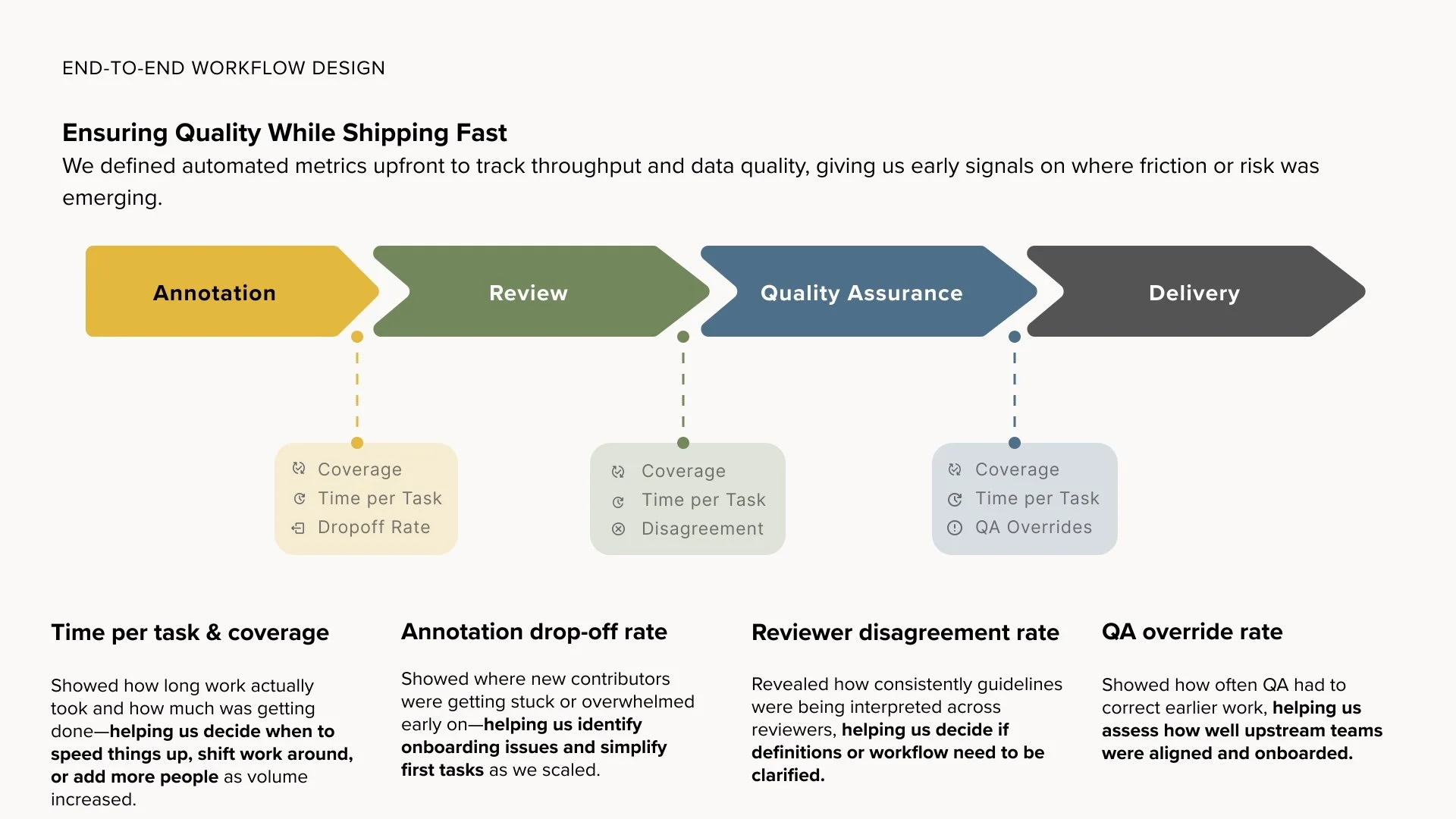
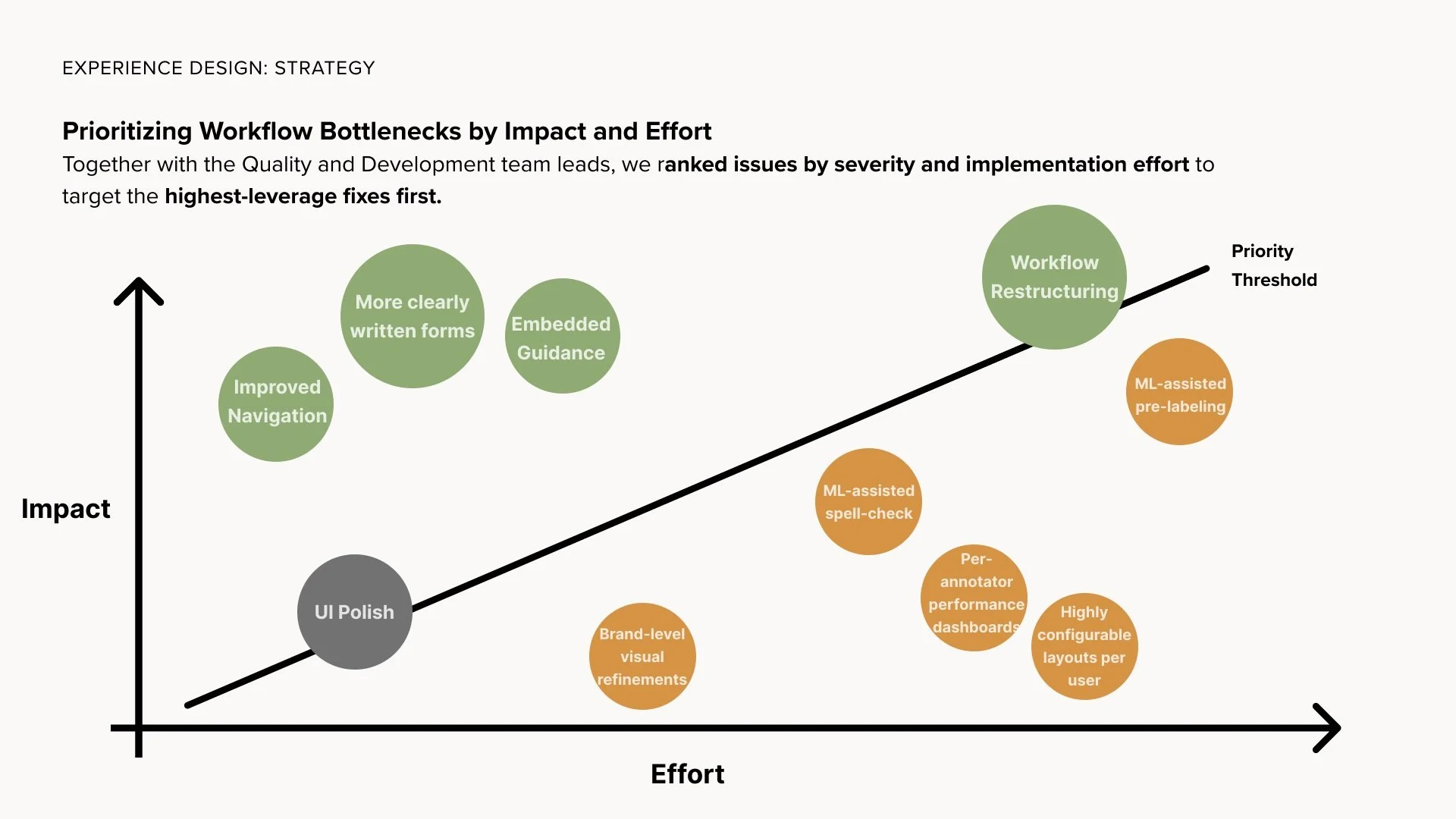
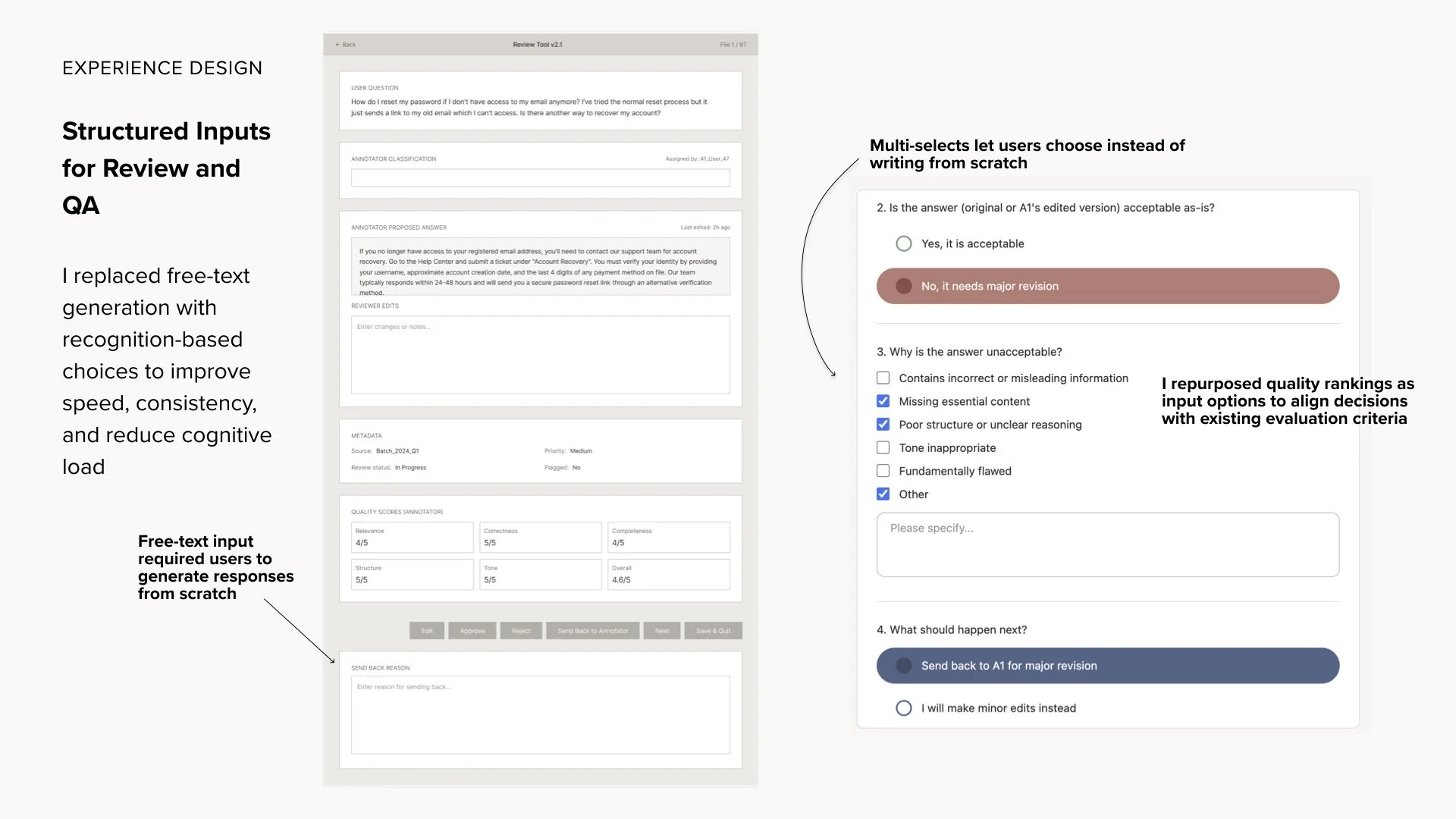
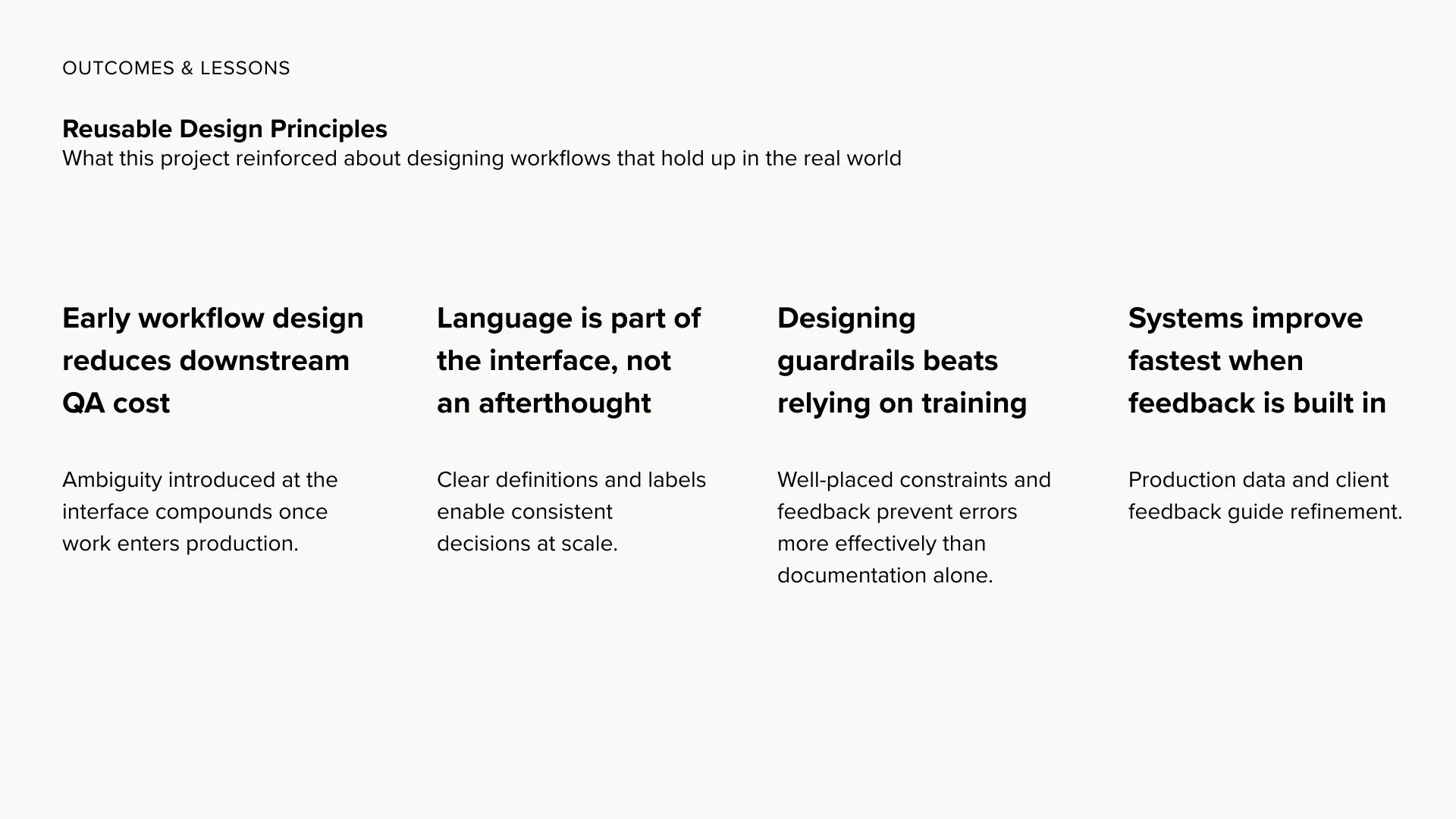
My responsibility was not just improving usability. The real problem was delivering high-quality data in a timely way without burning out the people producing it.

The goals were to:

  • improve consistency without slowing throughput

  • reduce miscommunication across teams

  • clarify roles and handoffs

  • support frequent mid-project changes

  • design with versioning in mind

  • reduce dependence on Slack

  • make workflows mistake-resistant

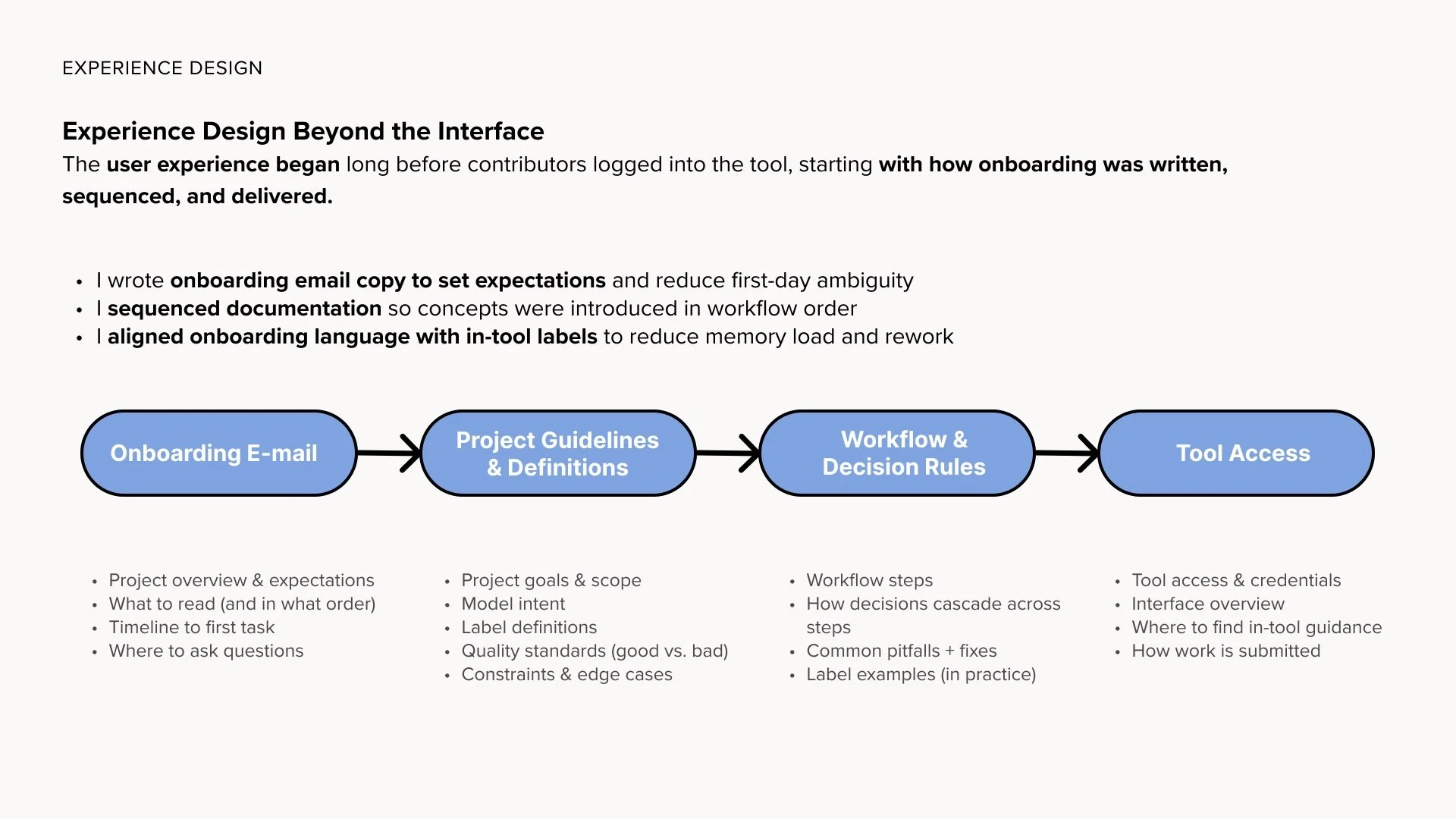
  • lower onboarding burden

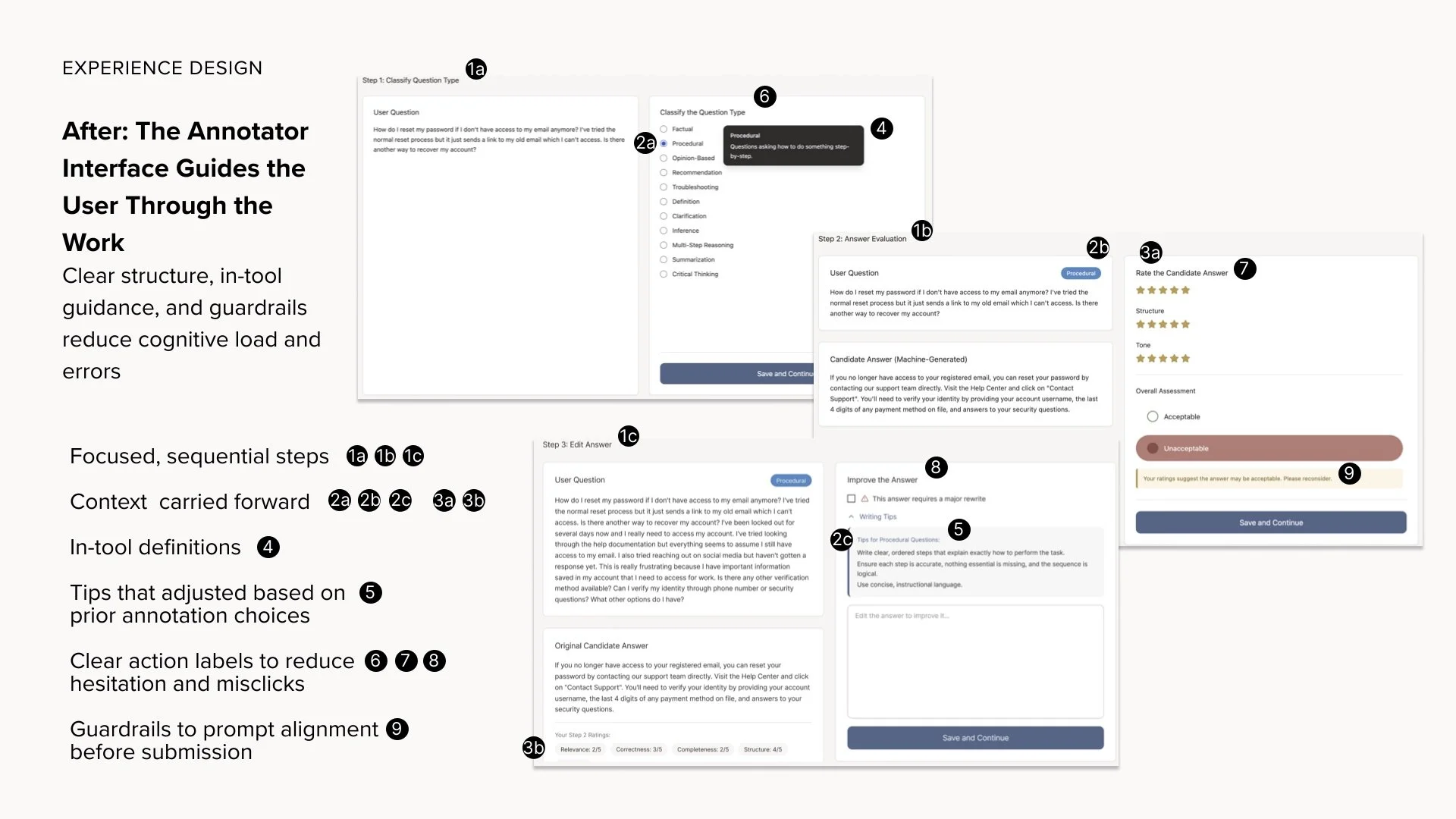
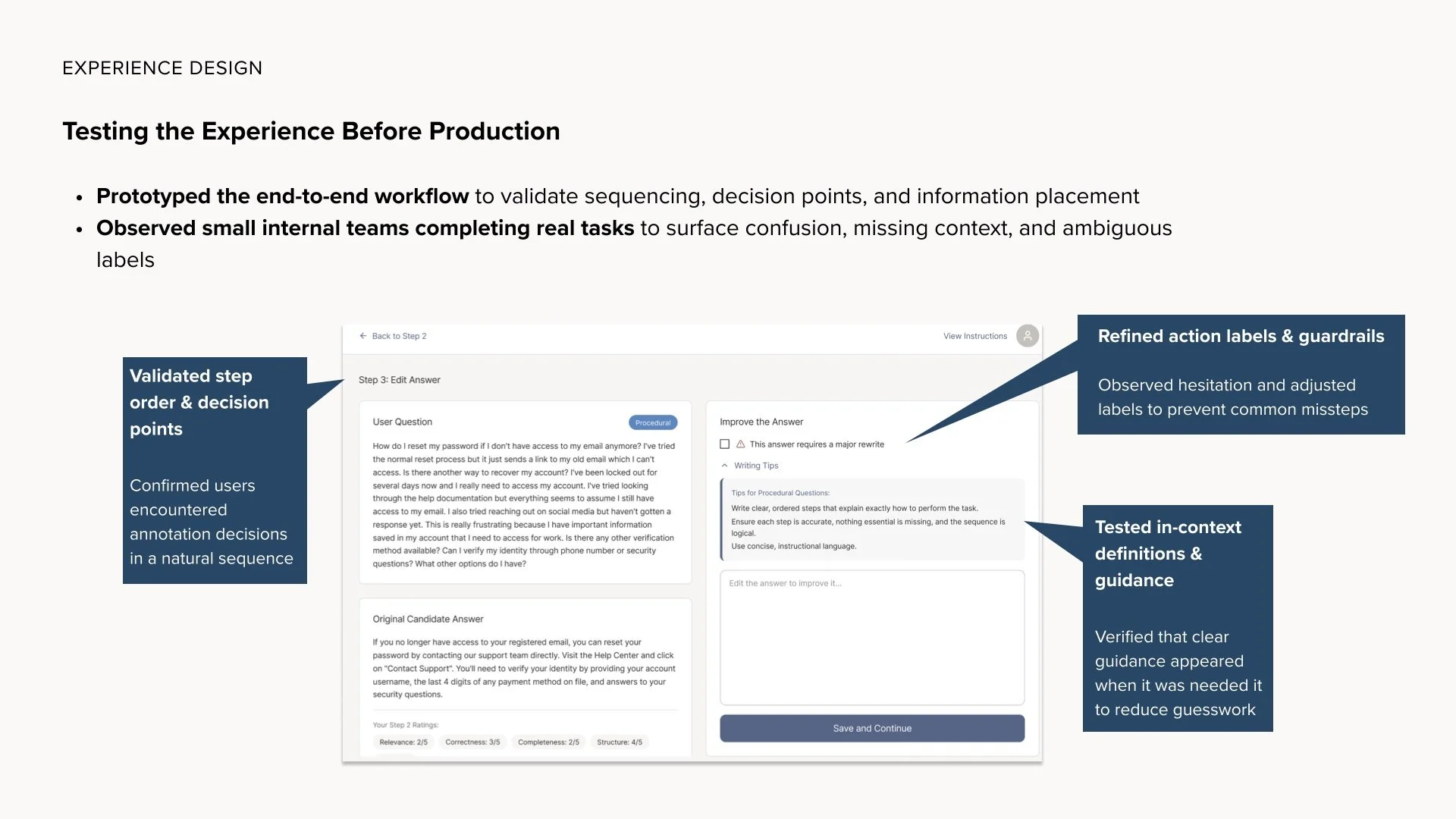
  • embed instructions directly into the tool

  • improve the daily working experience

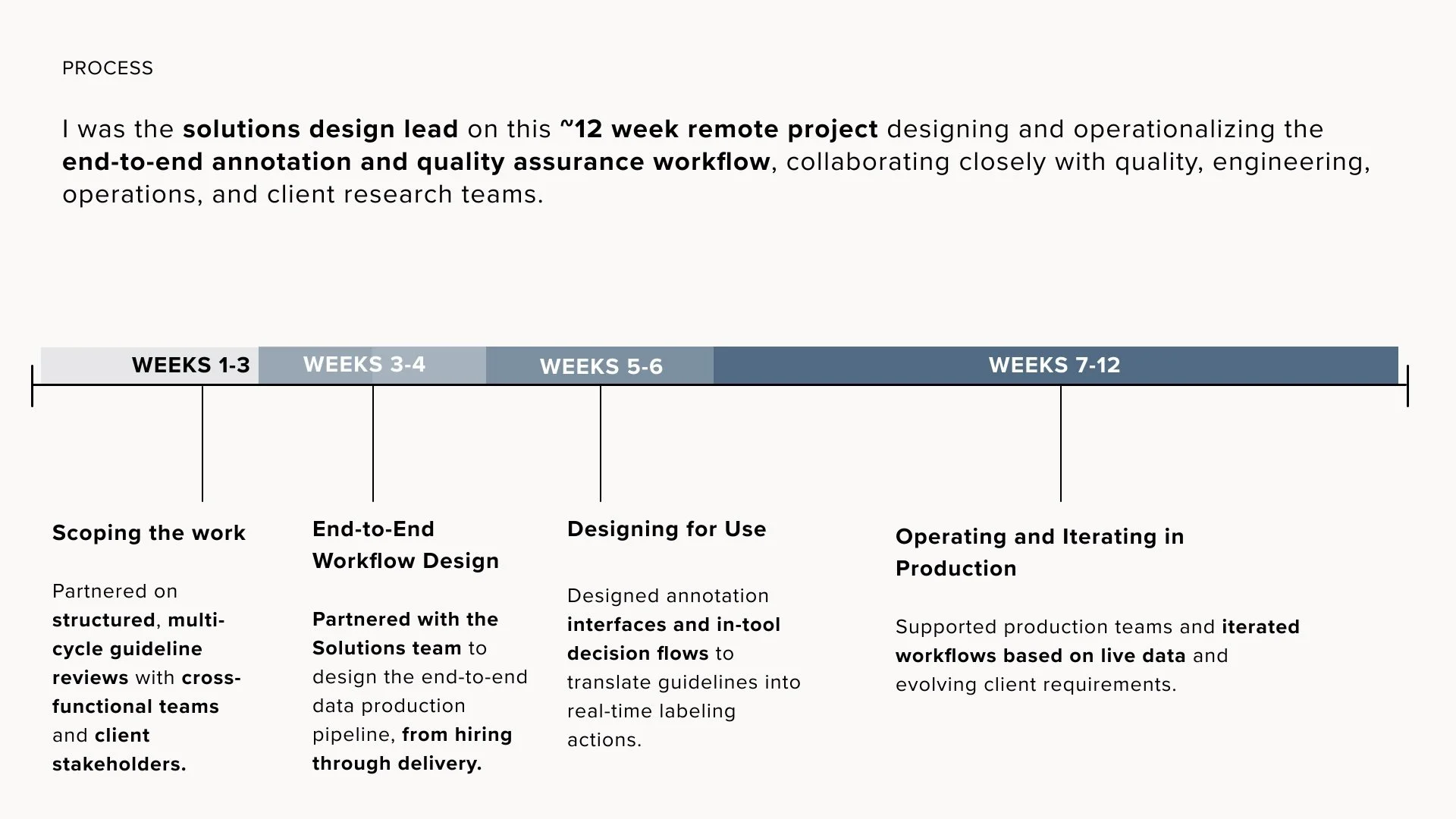
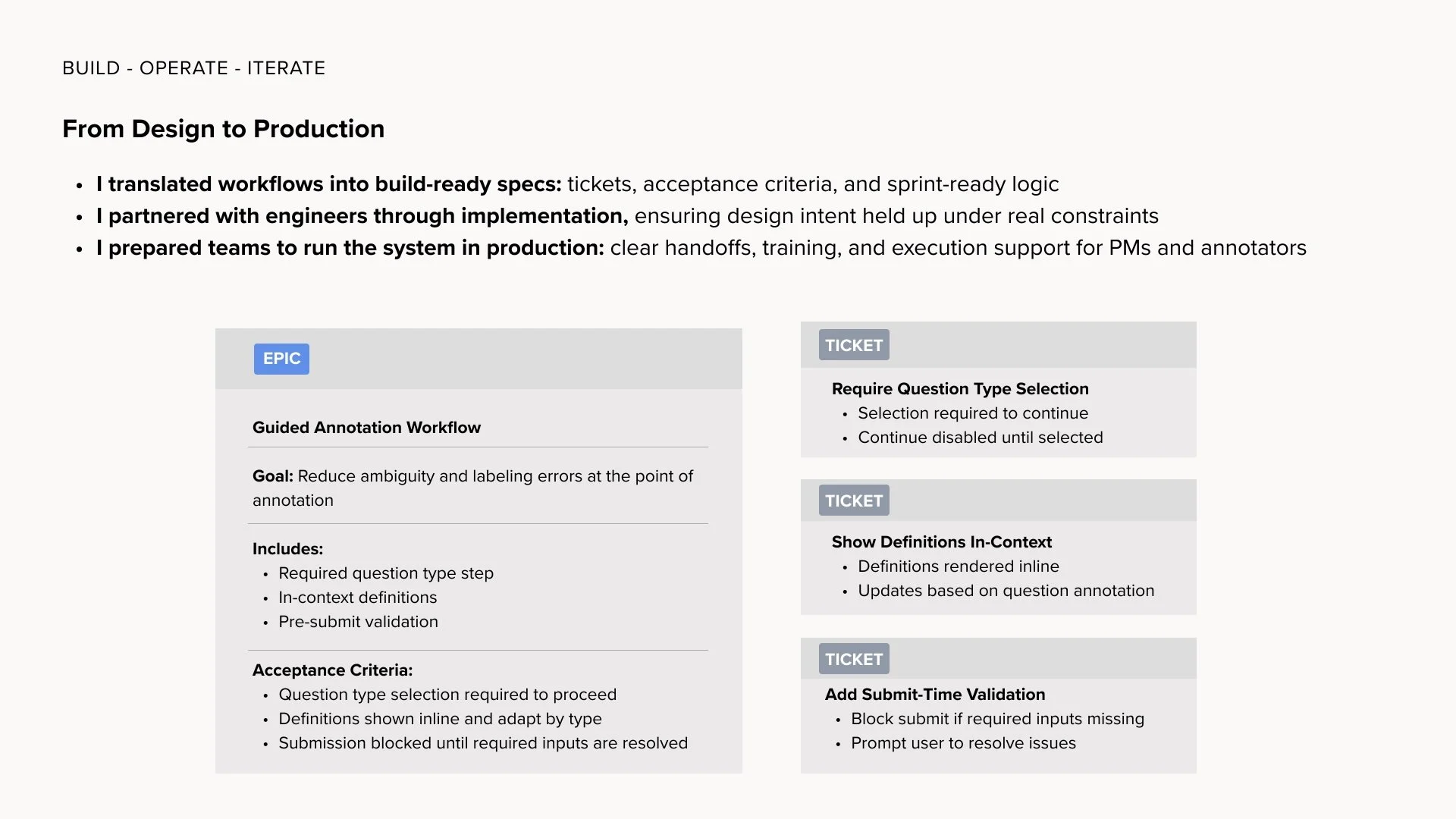
I worked closely with PM, QA, and engineering, and was an active voice in clarifying workflow design as part of the product.

(Annotator training became a parallel project; this system was intentionally designed so quality wouldn’t depend on training alone.)

Action — UI and Workflow Evolved Together

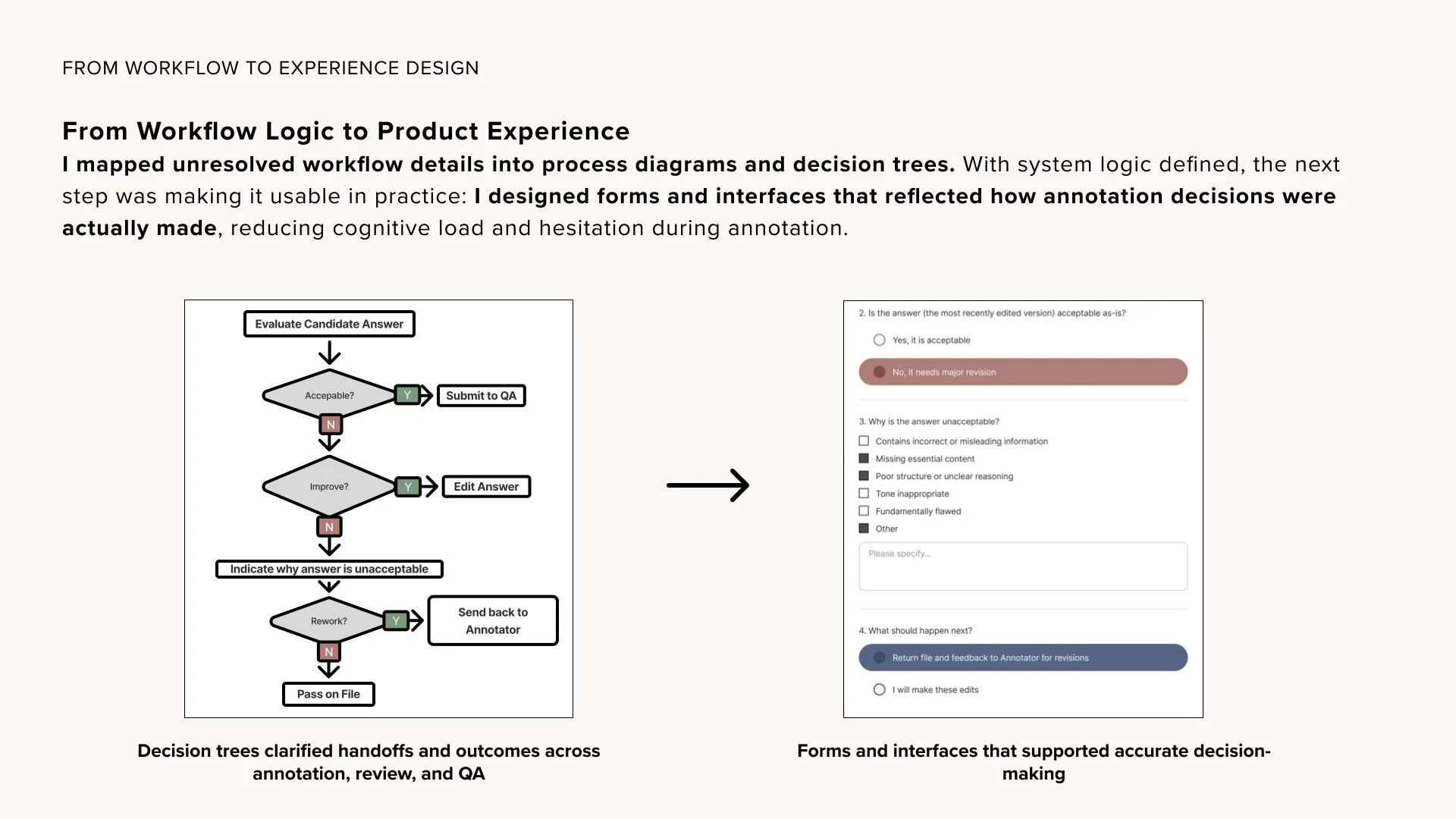
Improving the interface and clarifying the workflow couldn’t be untangled; each exposed problems in the other.

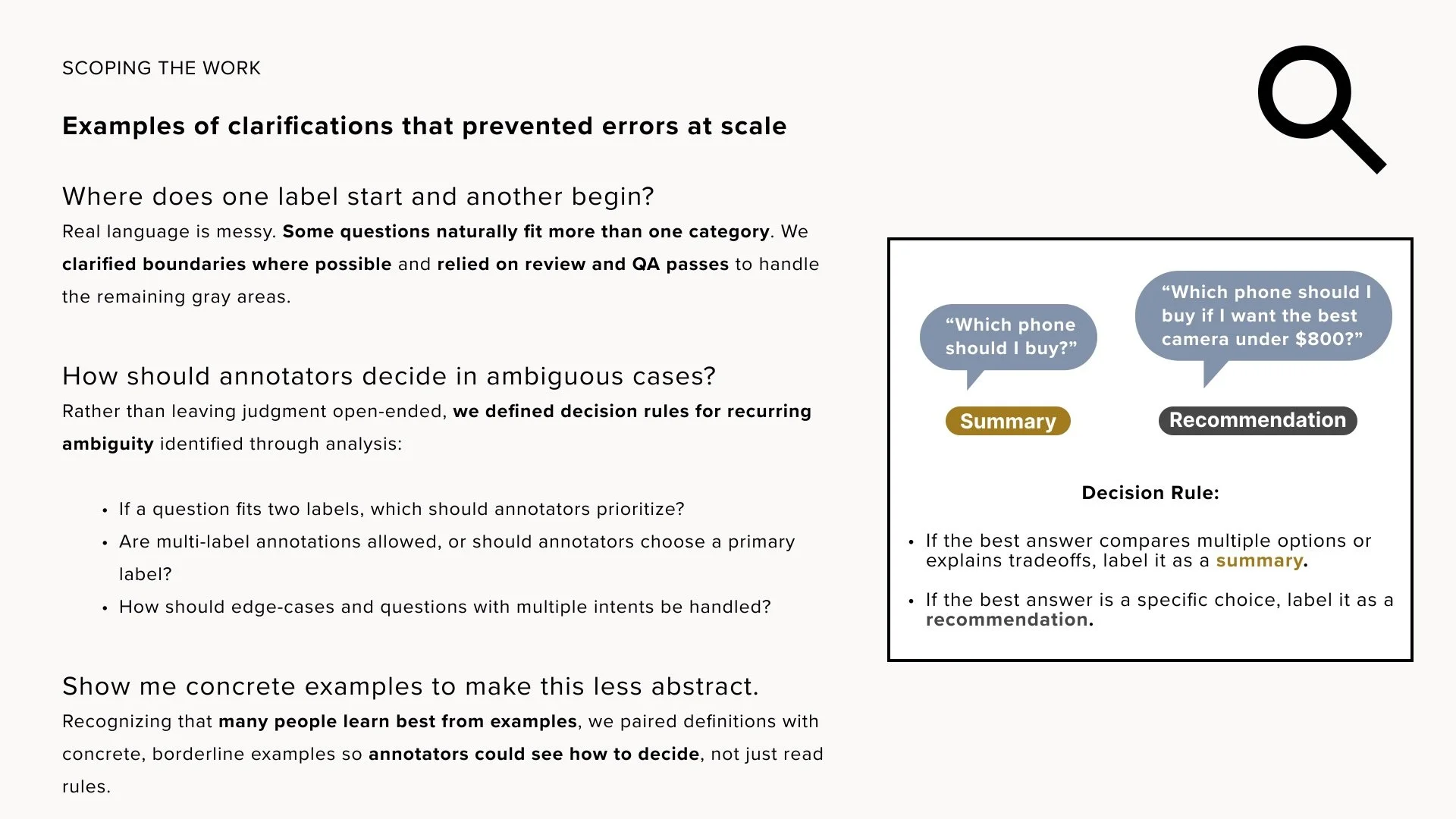
While redesigning navigation and flows, deeper issues surfaced:

  • unclear ownership

  • steps that didn’t belong together

  • late-stage decisions

  • QA missing context

  • rules that lived only verbally

At the same time, as the workflow became clearer, the UI had to evolve:

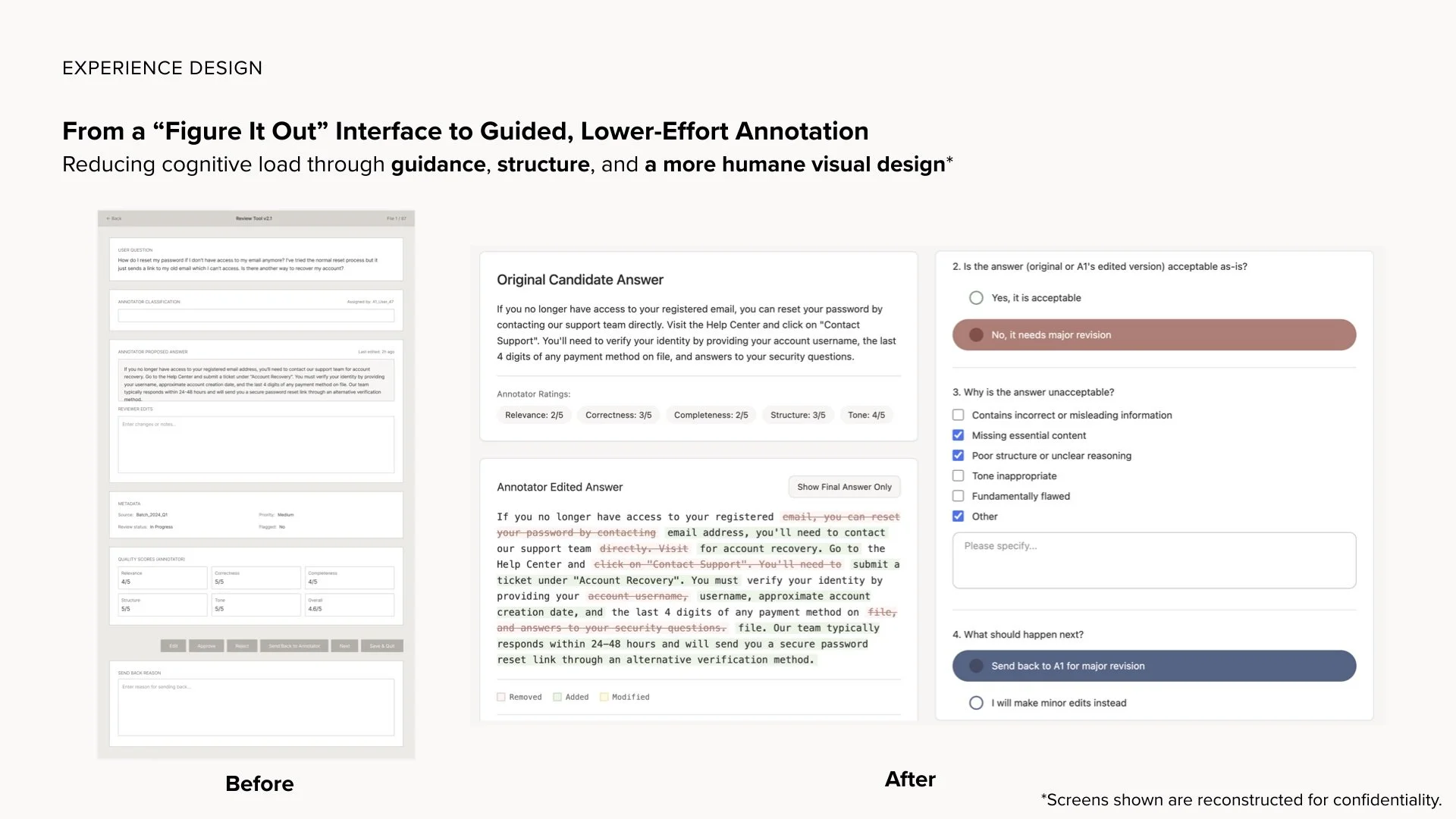
  • to surface the right information

  • to enforce correct behavior

  • to prevent mistakes

  • to expose system state

The design of the UI was critical in shaping the system.

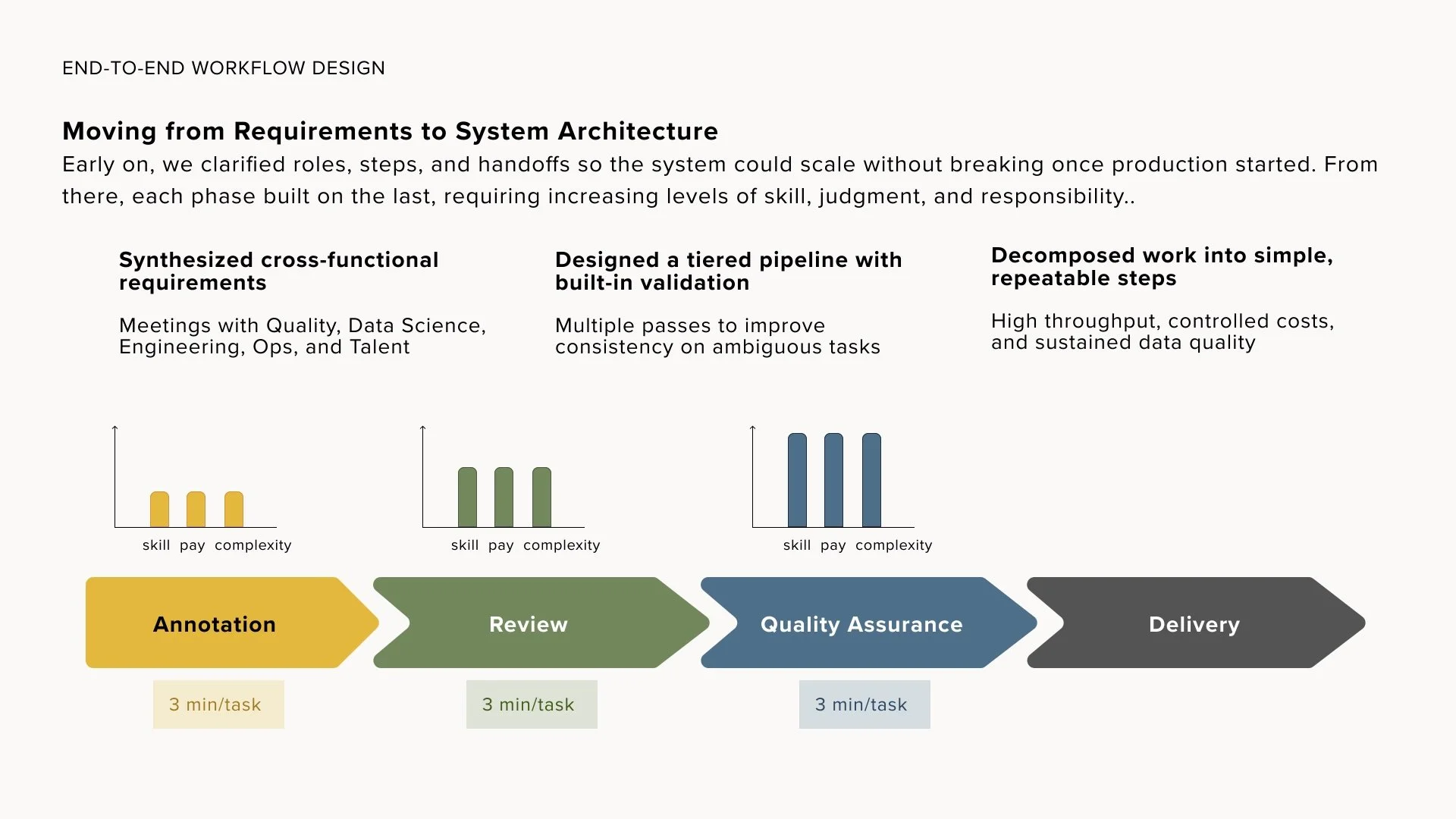
Architecture Diagram — A1 → A2 → QA

Action — Designing for Everyday Work

Important to note that this wasn’t a consumer product - people used it for hours every day.

I designed for:

  • predictable interactions

  • clarity over cleverness

  • reduced scroll

  • stable layouts

  • visible system state

  • error prevention

The interface needed to feel:

  • calm

  • reliable

  • legible

  • mentally manageable

Color, spacing, and typography weren’t just visual polish, they were workload management. That said, there was an effort to make color, spacing and typography peaceful and comfortable to work with.

visual: Inline Guidance System (Tooltips, Definitions, Rubrics) - coming soon

Action — Structured by Role

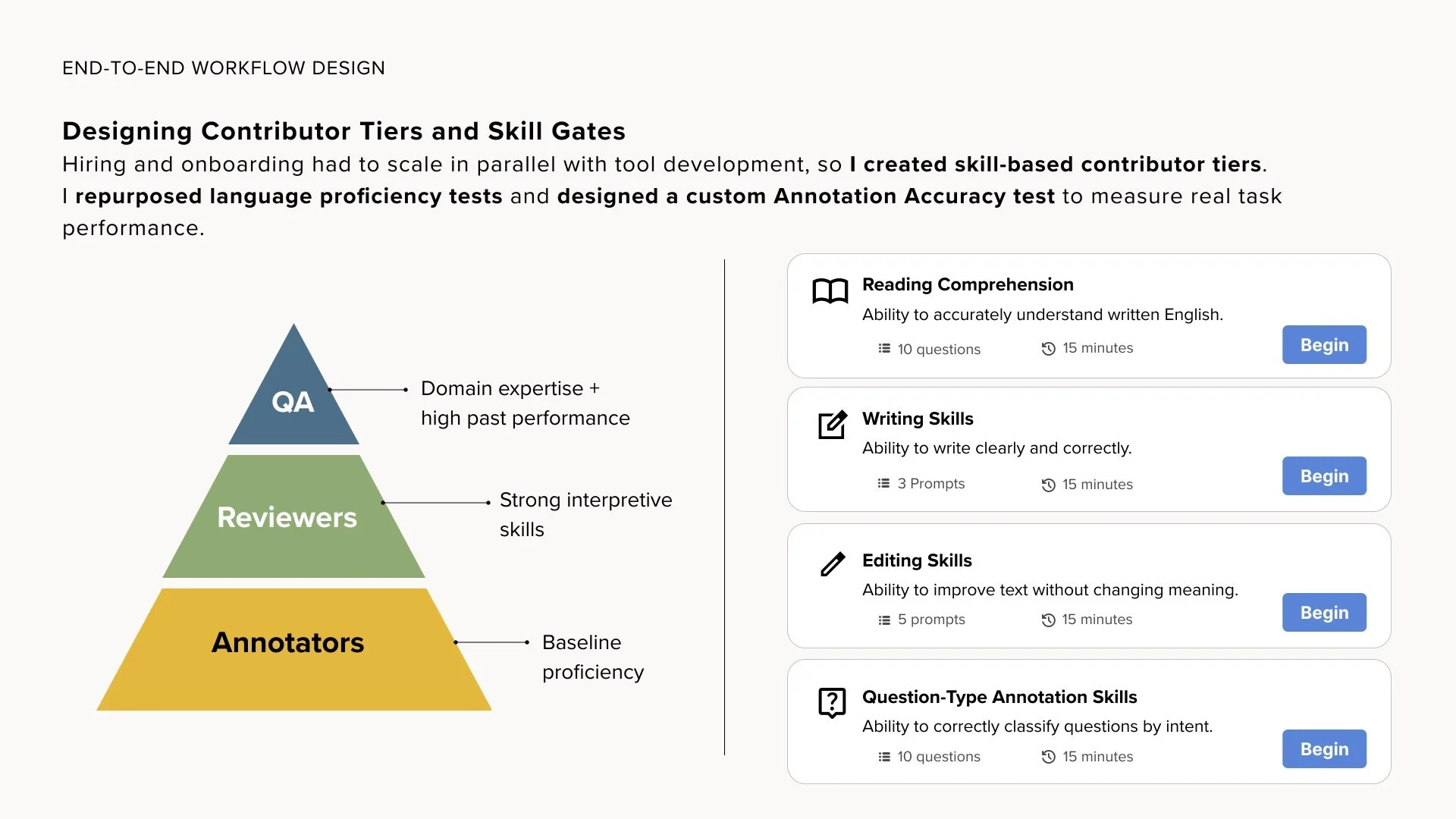
The original system treated everyone as the same kind of user, but annotators and QA had different levels of expertise and required different consideration in the amount of support the tool provided. We factored this in to the design of the interface. Below are the different roles:

Annotator 1

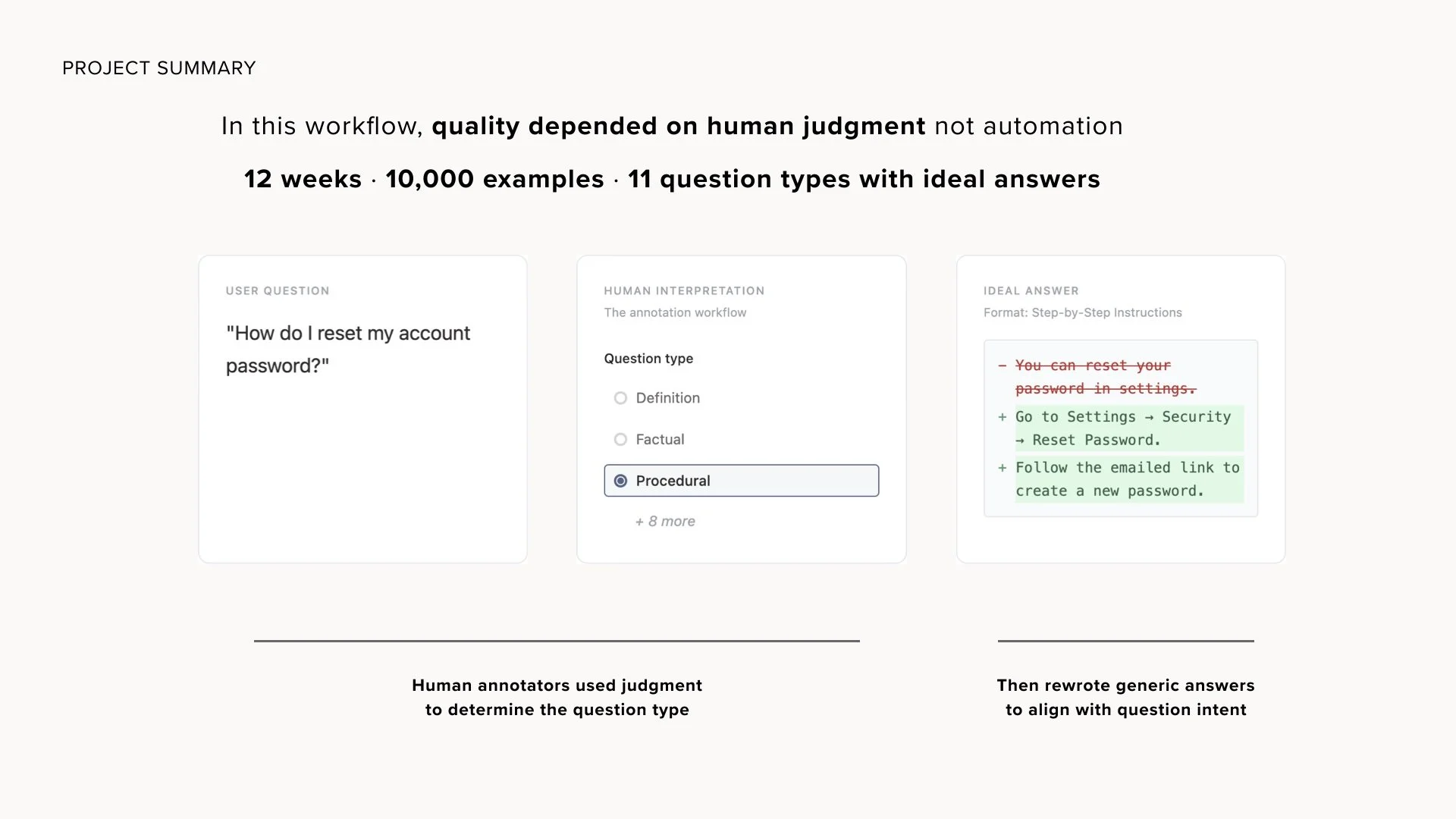
  • classify the question

  • evaluate answers

  • improve quality

  • identify edge cases

Annotator 2

  • independent review

  • prevent drift

  • confirm or escalate

  • make light corrections

QA

  • view full lineage

  • adjudicate disagreements

  • ensure consistency

  • control routing

Each role had different levels of understanding of the project (QA the most experienced, then annotator 2, and finally annotator 1 were typically most novice). Thus each role had distinct screens and responsibilities.

Annotator 1 Workflow

Annotator 2 Workflow

QA Workflow

Action — Review as a System.. Not a Guess!

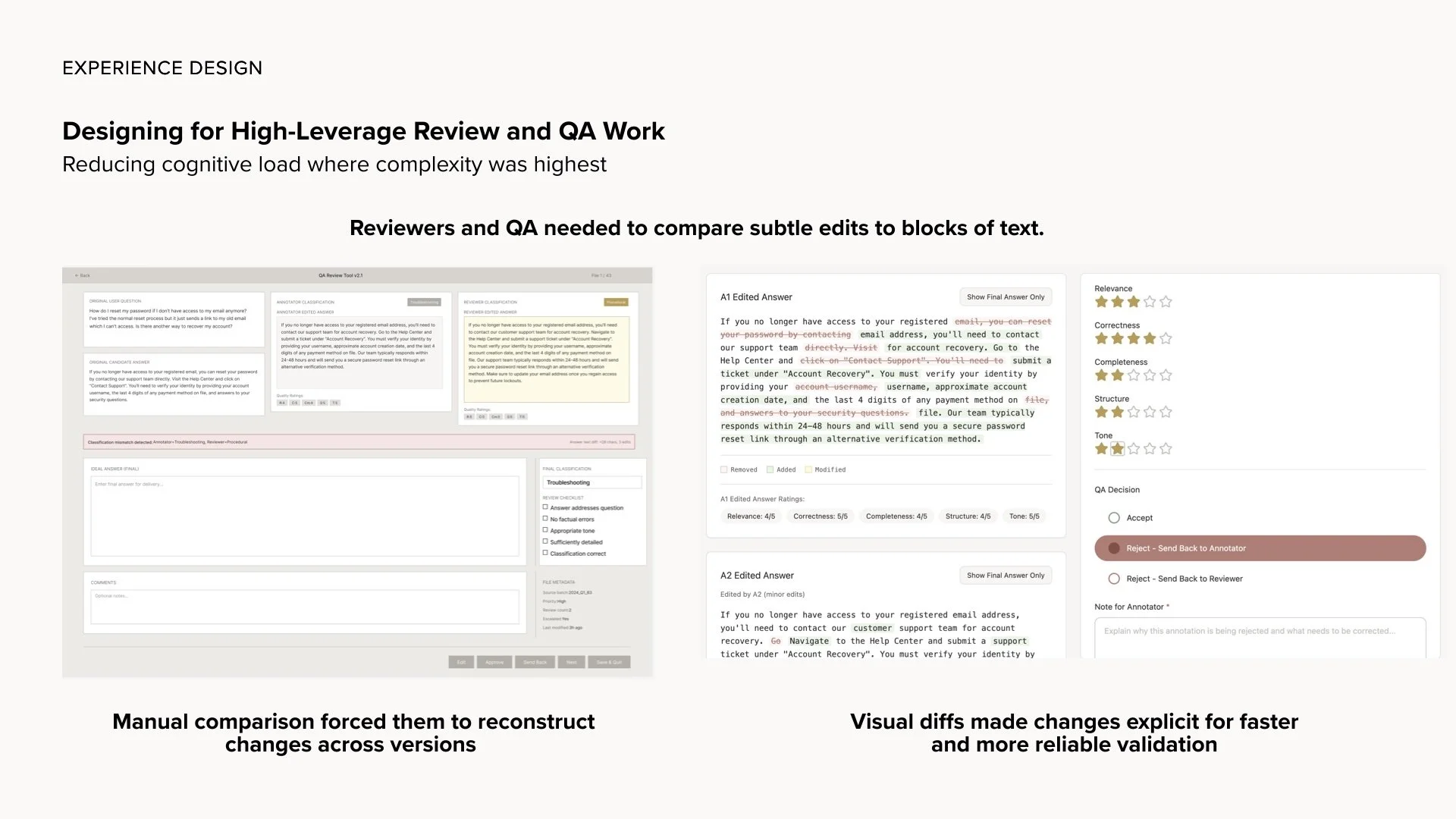
QA previously saw only a final answer.

Now they see:

  • original AI response

  • A1 evaluation and edits

  • A2 validation

  • escalations and disagreements

Review shifted from reconstruction to judgment, and the process could move more swiftly.

Visual: Final Answer Lineage (QA View) - coming soon

Action — Designing Toward Versioning (Not Just Documents)

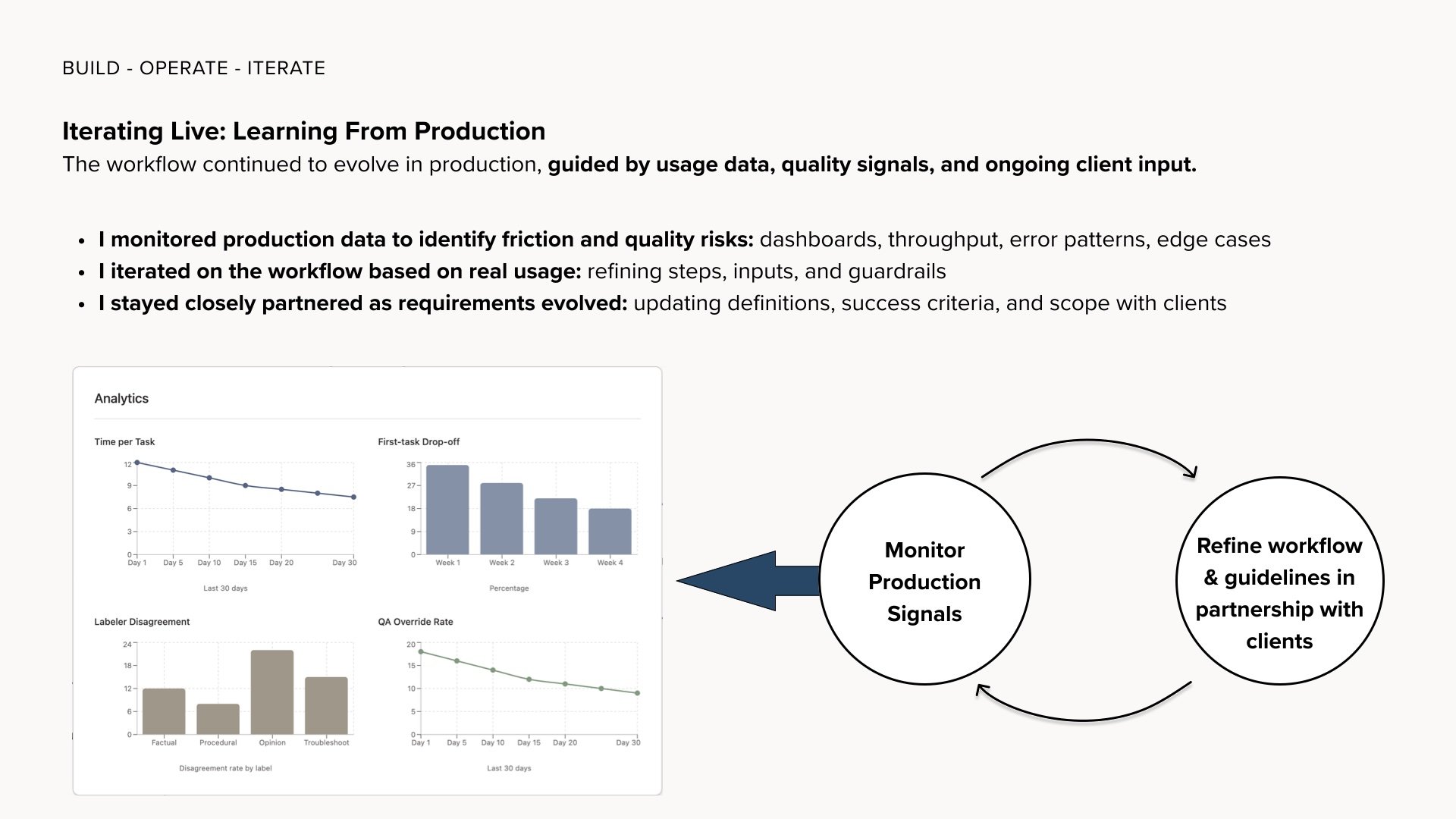
Client requirements changed frequently — often mid-project.

While embedding guidance into the product reduced reliance on scattered documents, the project also made clear how critical versioning is as a product concern, not just a documentation issue.

Through this work, it became clear what a robust system should support:

  • visible version state

  • publish-style updates

  • version-locked tasks

  • audit-friendly metadata

  • QA visibility into instruction versions

This project pushed my thinking beyond distributing documents toward designing versioning as system behavior — something I now intentionally factor into workflow design.

Action — Replacing Slack with Structure (Roadmap Work)

Slack had become a support system by default.

The design included a Help / Ask-a-PM concept:

  • built into the product

  • tied to workflow context

  • structured by intent

  • reviewable

  • analyzable

Support became part of the system — not a hallway conversation “after thought”.

Result

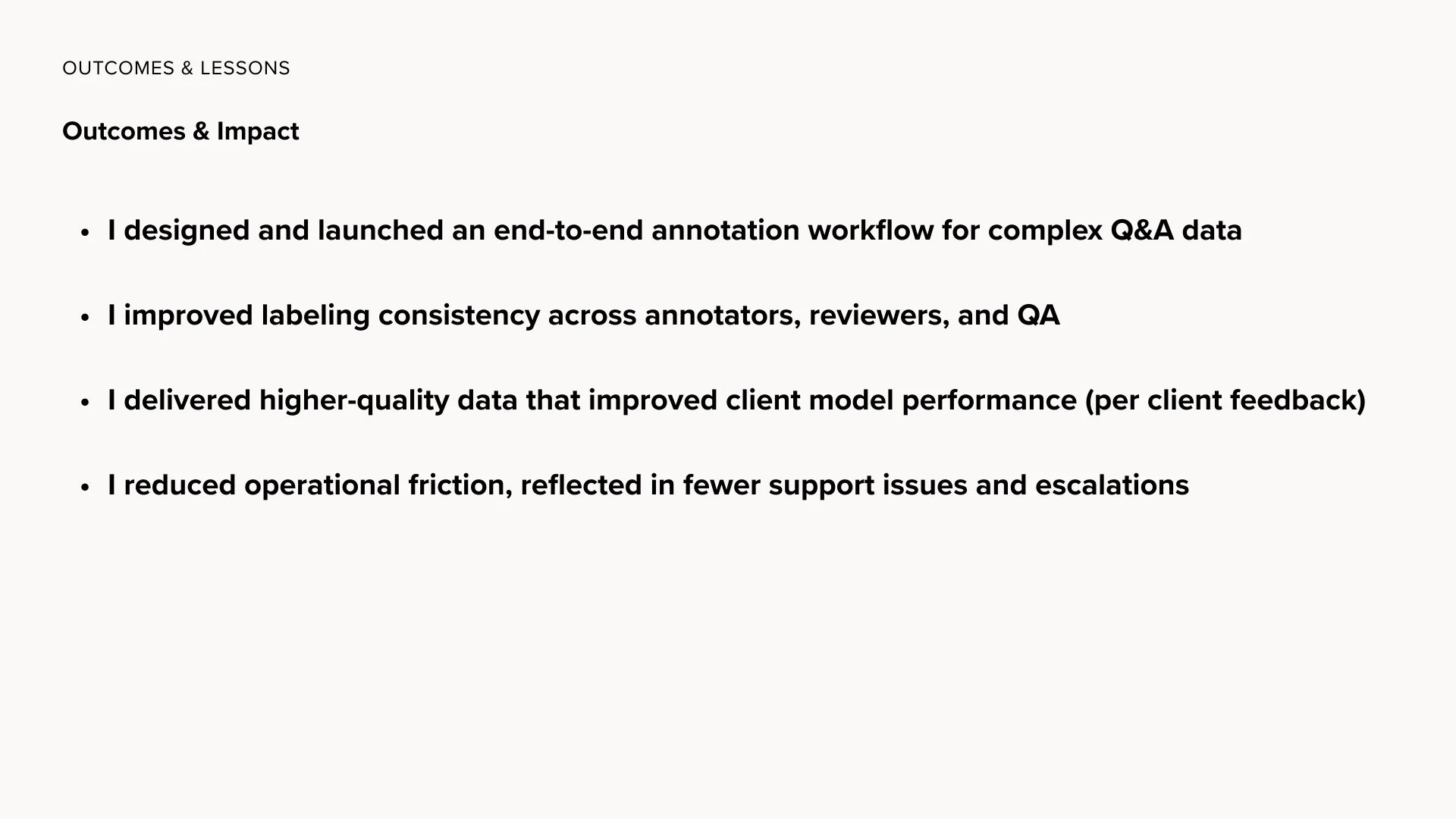
This redesign didn’t remove complexity, or make the fundamental work easy, nor did it create perfect data.

What it did do:

  • reduced friction

  • improved consistency

  • clarified responsibility

  • reduced PM overhead

  • improved onboarding

  • made updates survivable

  • gave QA full context

  • reduced Slack dependence

  • stabilized workflow communication

…Most importantly, it made it easier to do the job well.

Why This Matters

This work sits at the intersection of:

  • internal tooling

  • workflow design

  • linguistic systems

  • content strategy

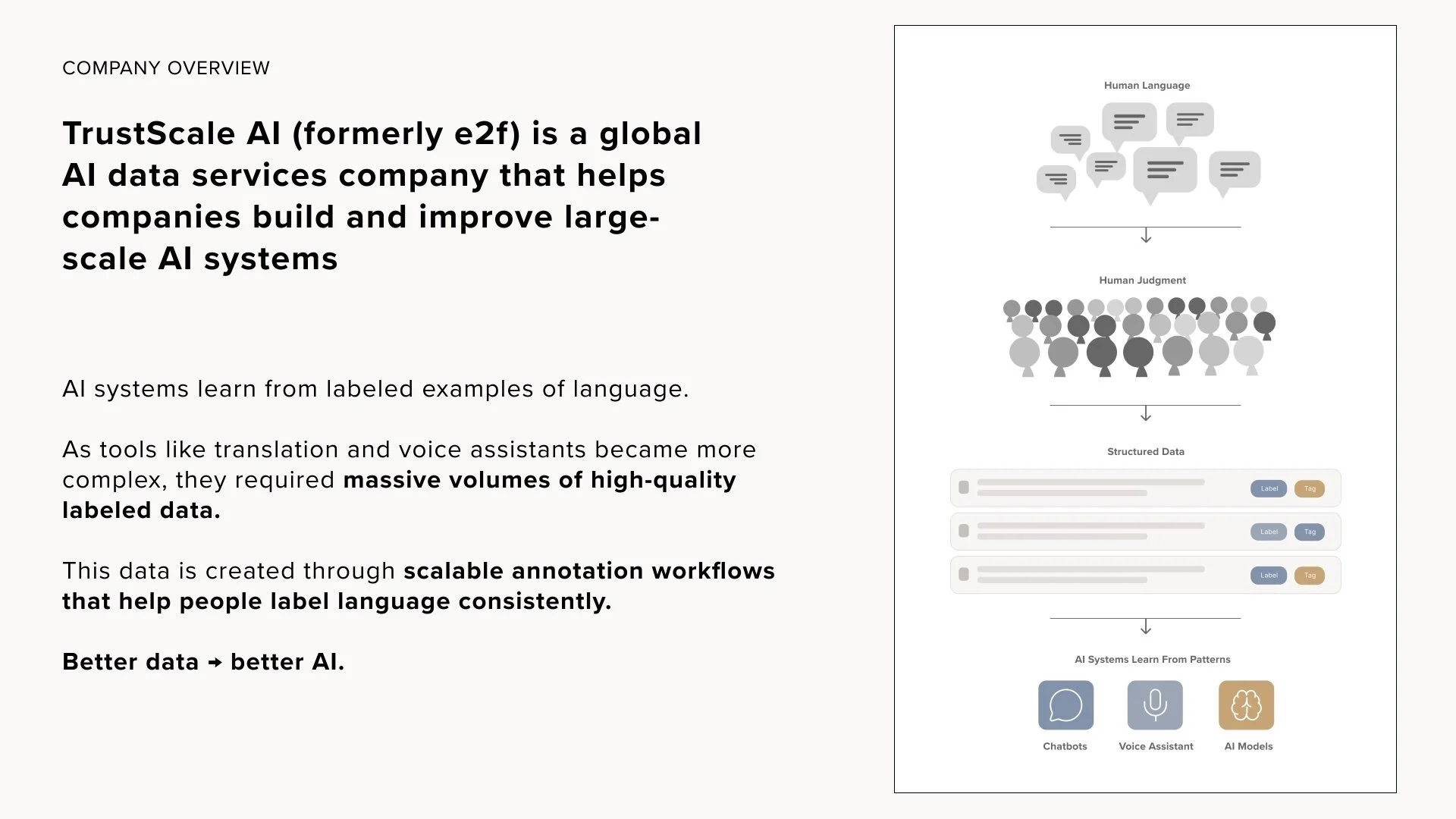
  • human-in-the-loop ML

  • product operations

It shows how design can:

  • make invisible systems usable

  • turn chaos into structure

  • improve not just output but experience

This wasn’t about building something pretty, but rather about building something people could actually rely on.