Designing a Knowledge Intelligence Platfrom
An experimental exploration of how AI-supported systems can help people reason with complex information
Skills: Platform PM, information architecture, search & discovery, AI interaction modeling, metadata + taxonomy thinking, UX research, systems design, cross-functional leadership
Timeline: Early-stage build; later “what I’d do now” reflections
Project Summary
We built an experimental research and intelligence platform that could read large volumes of text, detect relationships between claims (support, contradiction, cause/effect, analogy, attribution), and help users understand how ideas connect across sources.
My responsibility was to translate evolving model output into a usable, trustworthy product experience—defining what to surface, how to explain it, and how to keep users oriented as the system reasoned across content.
This case study covers:
What I inherited and why it broke down in real use
What early iterations taught us about discoverability, trust, and cognitive load
How I reframed the product from “graph of relationships” to “decision support”
What I would build next to make the system enterprise-ready (metadata, quality, and discovery)
Background
Researchers and analysts face fragmented information: thousands of documents, inconsistent terminology, and no clear way to understand how claims relate across sources.
Our founder envisioned a system that could extract relationships and reveal conceptual structure automatically. The core product challenge was twofold: how well the model could detect relationships, and whether we could productize that logic into insights people could use confidently.
The Original System: What I Inherited
1. The input experience had a steep learning curve
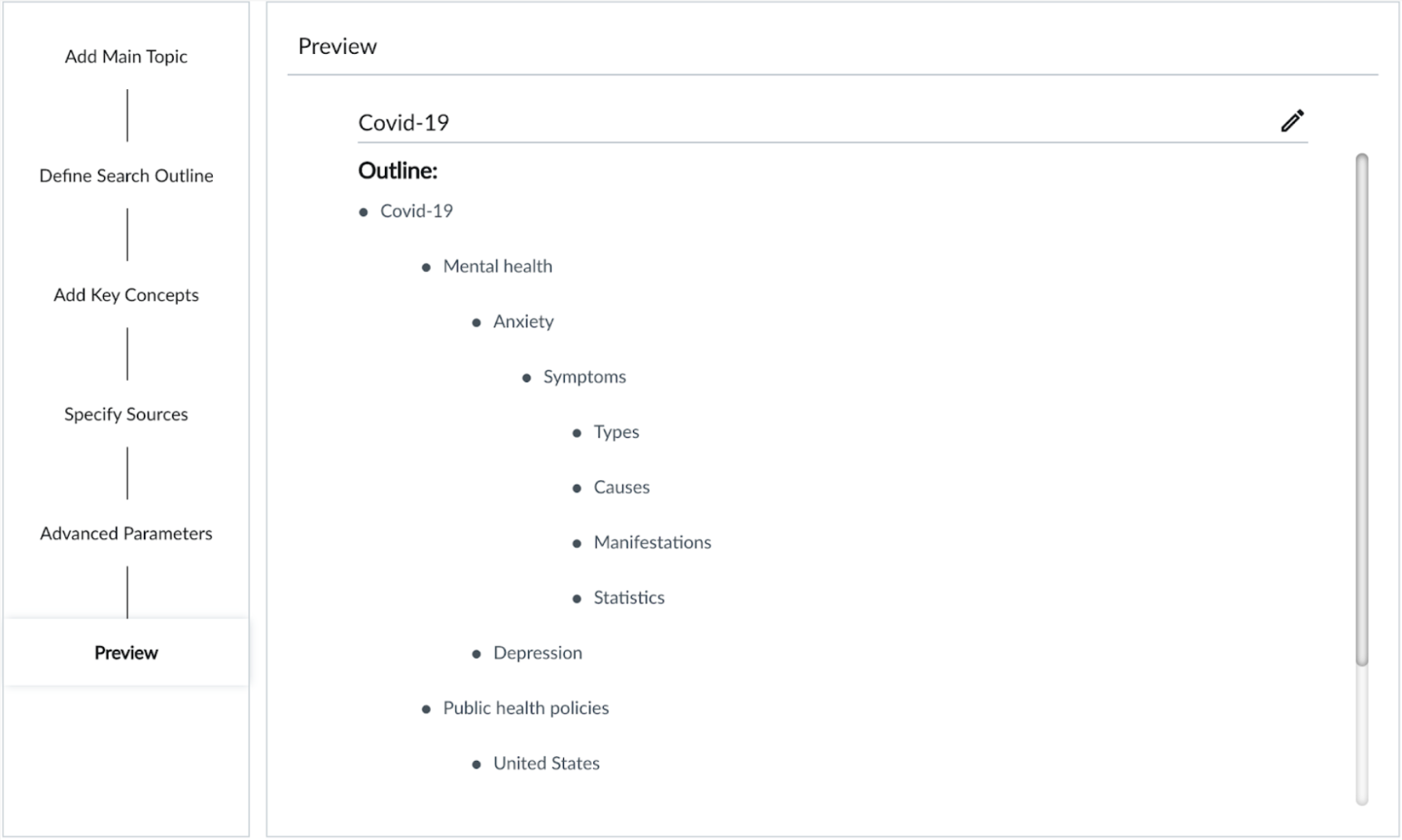
The system required a multi-step query:
topic
subtopics
expansion terms
source selection
advanced filters
In usability sessions, most participants entered a simple keyword and pressed Enter.
Users expected search → results, not configuration → parameters → output. The system asked users to think like the model rather than like a researcher.
2. The output experience was dense, abstract, and hard to interpret
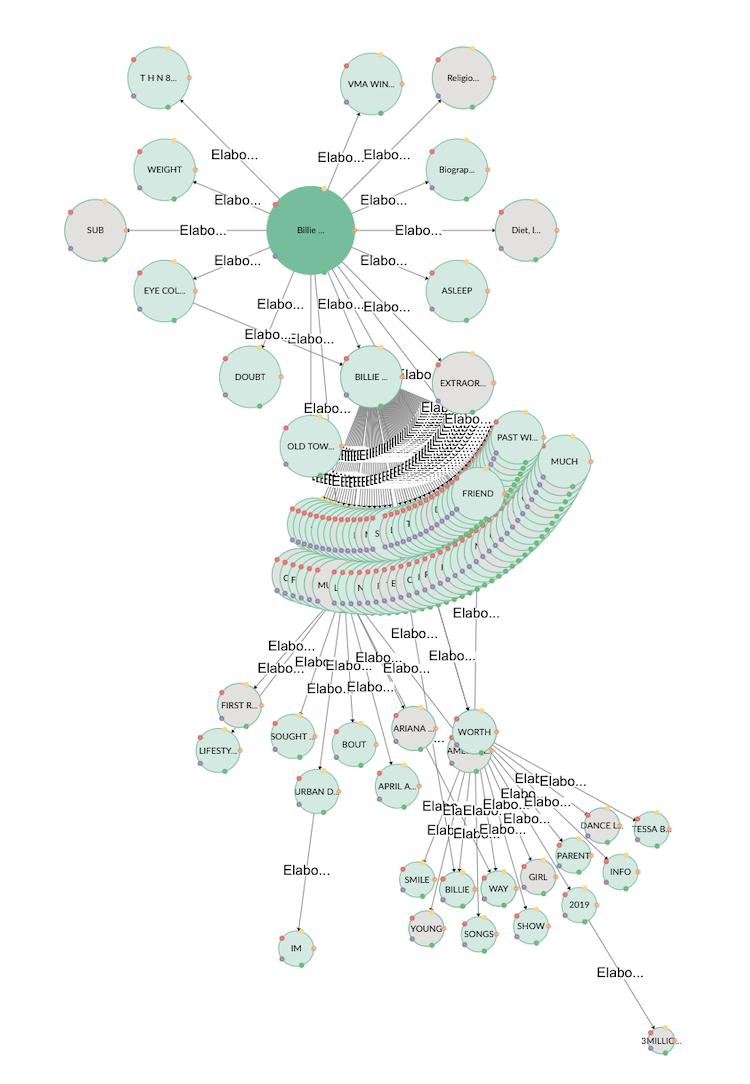
The core visualization was a dense static graph:
too many nodes
overlapping labels and truncated text
edges labeled with abstract relationship types
no meaningful interaction model
Users couldn’t navigate the graph, let alone answer the basic questions that matter in research workflows:
What is important here?
What should I look at first?
Why is this connected?
What do I do next?
3. There was a disconnect between the AI logic and human meaning
[VISUAL: Original Relationship Taxonomy Diagram]
The relationship taxonomy was linguistically valid, but exposing it directly created abstraction overload.
Key product tension: the system’s internal classifications were not the same as user-facing value. People didn’t want “causal vs supportive”—they wanted why this matters and what it implies.
Understanding the System (through a product and design lens)
Under the hood, the system identified relationships between pieces of information that were cognitively meaningful to human reasoning—such as support, contradiction, cause and effect, analogy, and attribution.
[VISUAL: Relationship types diagram]
From a system perspective, a full relationship graph was expressive but from a product perspective, it was unusable: the density obscured meaning, increased cognitive load, and made it hard to determine what mattered or what to do next.
So while a constant underlying question remained “What does the system know?” it became critical to ask “What should the product surface to support research, analysis and exploration?”
How might we translate machine-detected relationships into clear, actionable signals that support human sensemaking—without requiring users to interpret the underlying model?
Iterations (and what they taught us about product value)
Attempt 1: The Relationship Guide
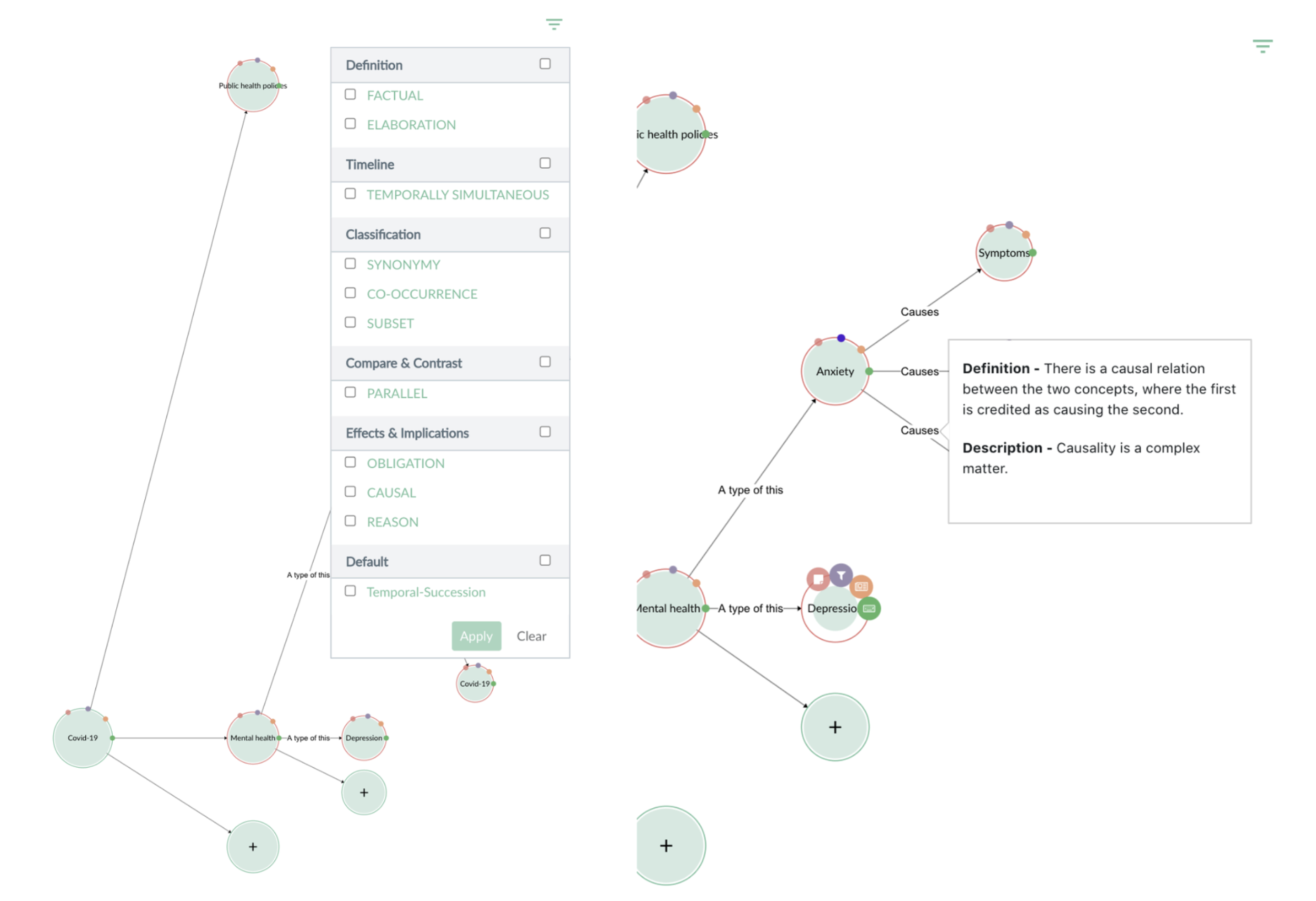
The goal was to clarify what each relationship type meant. This helped but users still had to remember abstract definitions, which didn’t suffice when their goal was to QUICKLY make sense of something and to QUICKLY understand why it mattered to them.
Attempt 2: Relationship Filters
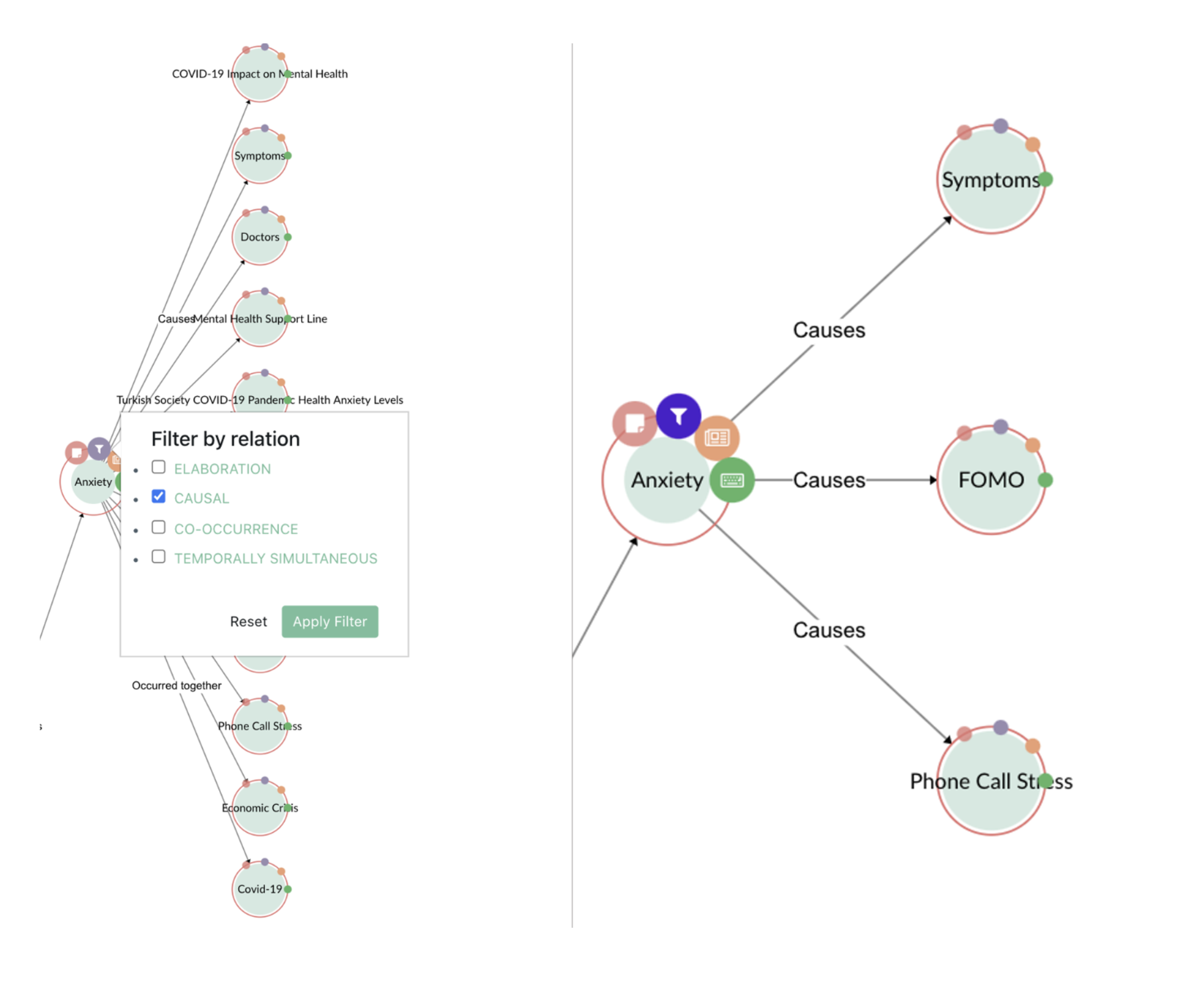
The goal was to reduce visual clutter by toggling relationship types on/off; many concepts could have multiple relationships holding between them. While this did clean the interface up (fewer lines, fewer nodes at at time), it was still not a totally natural way for many to absorb information. Users wanted something more familiar that they could engage with - elaboration or summarization of the knowledge network.
Attempt 3: Concept Summary Boxes

The goal here was to make nodes readable by showing brief summaries. This helped. Our goal remained to iteratively improve these summaries as our technology evolved - recall, this was before generative AI.
Emerging Success: Showing the Sources

This feature grounded the system in something recognizable and credible.
Users reacted positively because:
they understood where information came from
it bridged abstraction with familiarity
it built trust in the AI model’s reasoning
Reflection: What I Would Do Differently Today
This project took place under typical early-stage constraints: evolving models, limited engineering resources, and pressure to deliver quickly.
My approach was thoughtful but not yet guided by a strong north-star vision. Today, I would:
define that vision up front
design interim steps that ladder toward it
reveal AI reasoning progressively, not literally
guide users through meaning, not mechanics
anchor abstractions in human-friendly explanations
use visual storytelling instead of raw graphs
Your existing visuals actually support this evolution beautifully — your diagrams show where the system succeeded and where it overwhelmed users.
Design Principles That Emerged
These now guide my work in AI UX:
Clarity is thoughtful simplification - displaying less but being highly selective about what’s displayed.
Meaning has to be represented in a human way, not machine structure.
Abstractions are useful but need to be made familiar (sources, excerpts) for the masses.
Exploration should feel guided, not confusing.
Next Phase — Designing for Meaning
I’m currently working on a redesigned version that:
starts with user questions
presents insights as guided paths
surfaces system reasoning step-by-step
makes the graph feel like a narrative, not a map
This reflects the lesson that understanding emerges from context, not structure alone.
Final Summary
This case study shows how I design for complex AI systems:
turning internal linguistic logic into human meaning
transforming overwhelming structures into guided journeys
using UX to clarify, not simplify
building trust through transparency
designing under constraints with long-term structure in mind
combining systems thinking with human-centered interpretation